

Why Your Starlink Mount Matters in Australia
Gen 3 Starlink mounts are the foundation for reliable satellite internet across Australia, particularly in remote and regional areas where traditional connectivity fails. A secure mount is critical for consistent connectivity through the howling winds, driving rain, and relentless salt spray of the Australian climate.
Quick Answer for Gen 3 Starlink Mounts:
- Gen 3 requires a pipe adapter – Unlike previous models, the Gen 3 dish doesn't include a built-in pole mount.
- Main mount types – Roof, wall, pole, mobility (RV/caravan), and portable options.
- Key features – Look for rust-resistant aluminium or stainless steel, adjustable angles, and anti-theft security.
- Australian conditions – Choose mounts rated for high winds (50+ mph), coastal salt spray, and UV exposure.
- Installation – Most mounts are DIY-friendly but require proper positioning for optimal signal reception.
While the Gen 3 dish's kickstand is useful for temporary setups, a permanent or mobile installation requires a purpose-built mounting solution. Australian conditions, from 100 km/h storm gusts to coastal salt corrosion, demand robust hardware. The wrong mount risks signal loss, water damage, or even costly dish replacement. This guide will help you choose and install the perfect mount for your location, ensuring optimal signal and stability.
I'm Aaron Wroblewski, founder of SpaceTek Australia. With over 25 years designing satellite mounting systems for Australian conditions, I know what stands up. We've built comprehensive Gen 3 Starlink mounts to suit coastal homes through to remote caravans and off-road setups.
Your Ultimate Guide to Gen 3 Starlink Mounts
Understanding the Gen 3 Dish: A New Mounting Game
The Starlink Gen 3 dish (Standard V4) features a sleek, flat profile that's a major departure from earlier models. It comes with a built-in kickstand, which is great for temporary setups on a flat surface. However, for any permanent installation or use on the move, you'll need a proper Gen 3 Starlink mount.
The most critical change is that the Gen 3 dish doesn't have an integrated pole like previous generations. This means it requires a separate pipe adapter to connect to traditional pole-style mounts. If you're upgrading, your old mount may not work without this adapter. We cover this in our guide on Upgrading to Starlink Gen 3: What It Means for Mount Compatibility. This new design has paved the way for more robust, purpose-built Gen 3 Starlink mounts that offer superior stability and protection without modifying your dish.
Exploring Your Mounting Options: Permanent and Portable
Australian properties and lifestyles are diverse, and fortunately, so are the mounting options for the Gen 3 dish.
- Roof mounts are the top choice for permanent home installations, lifting the dish above obstructions for a clear sky view. Options like pivot, ridgeline, and tile roof mounts cater to different roof types. For a closer look, see our Guide to Starlink Gen 3 Roof Mount Kits.
- Wall mounts are a practical alternative when roof access is difficult, securing the dish to the side of a building near an eave or gable.
- Pole mounts offer excellent versatility for lifting the dish above trees or other obstacles. They are ideal for rural properties but remember you'll need a pipe adapter for the Gen 3 dish.
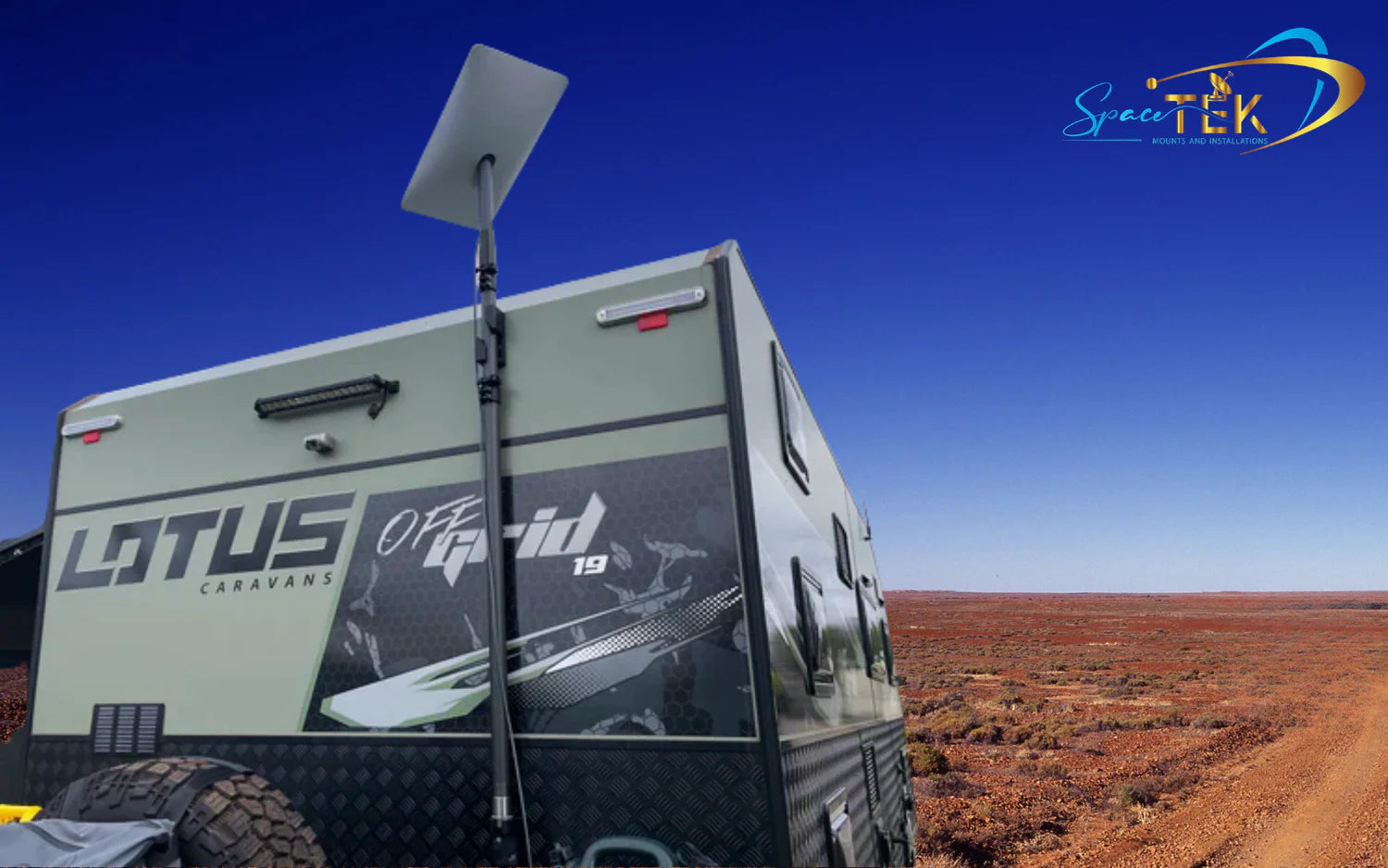
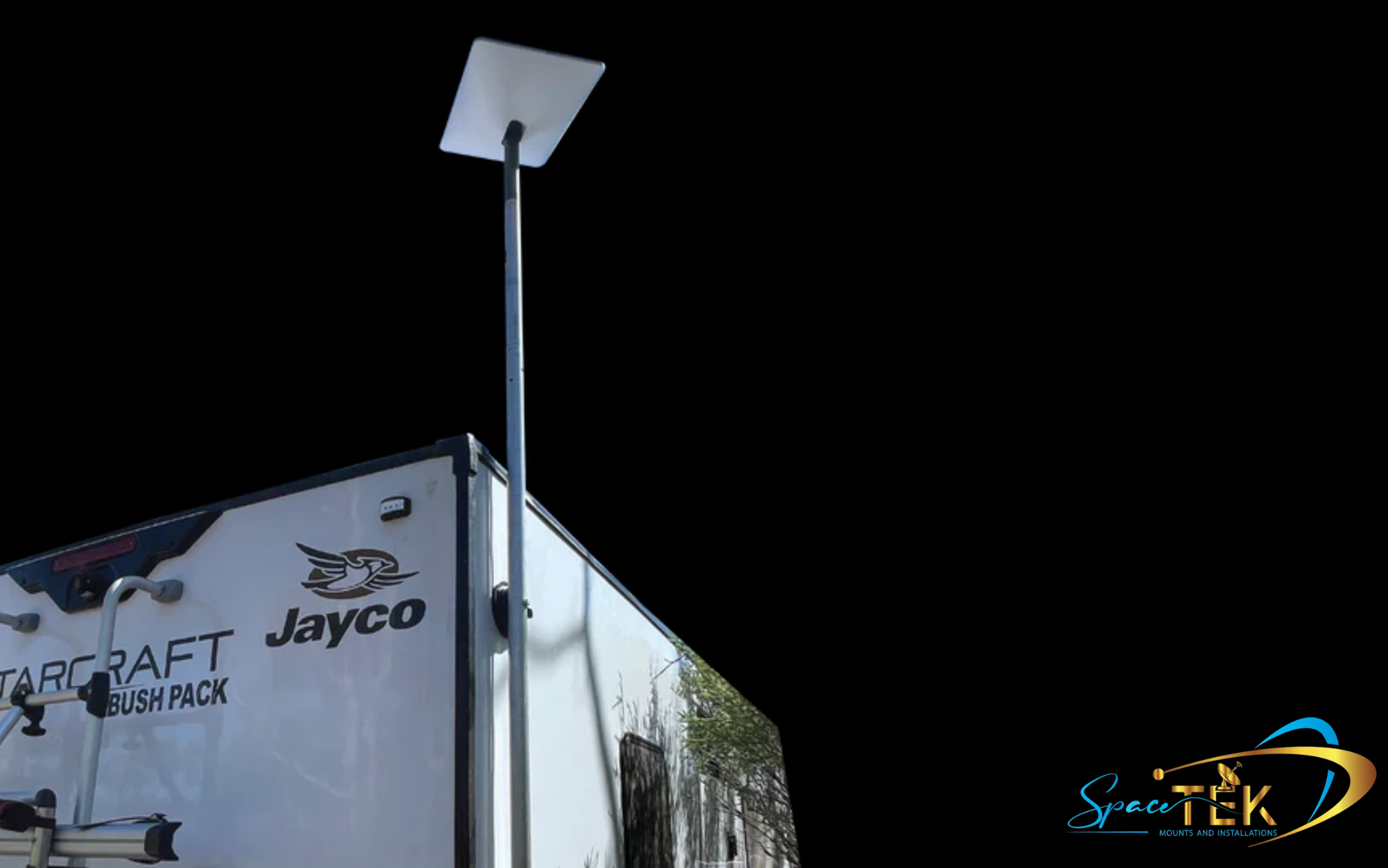
- Mobility mounts are designed for RVs, caravans, 4WDs, and boats. They range from low-profile flat mounts to roof rack systems and telescopic poles, often with quick-release and anti-theft features. Our guide on Starlink Gen 3 Roof Rack Mobility Mounts is a must-read for travellers.
Each type has its pros and cons. Roof mounts offer the best elevation, while wall mounts are simpler to install. Pole mounts are great for clearing obstacles, and mobility mounts offer portability. Your choice will depend on your property, lifestyle, and connectivity needs.
Choosing the Best Gen 3 Starlink Mount for Your Location
Matching your mount to your environment is key to long-term reliability.
First, use the Starlink app to perform an obstruction check. This will show you the best position for an unobstructed view of the satellites, helping you decide if you need a roof, wall, or pole mount and at what height.
Next, consider Australian weather. Wind is a major factor, so look for mounts made from reinforced composite, aluminium, or stainless steel rated for high-wind zones. For coastal properties, choose marine-grade stainless steel or mounts with anti-corrosion coatings to combat salt spray. Don't forget UV exposure; quality mounts use UV-stabilised materials that won't become brittle in our harsh sun.
Finally, decide between a permanent or portable installation. Fixed mounts are best for homes and businesses, while mobility mounts with features like magnetic bases or clamp systems are engineered for travellers. We've designed our range to help Australians Stay Connected Anywhere with Spacetek Starlink Gen 3 V4 Mounts Built for Australia.
Key Features of a Durable, High-Quality Mount
Investing in a quality Gen 3 Starlink mount means investing in reliable connectivity. Here’s what to look for:
- Material Quality: Aluminium offers a great balance of strength and light weight. Stainless steel provides superior rust resistance, essential for coastal areas. Carbon fibre is exceptionally strong and light, perfect for portable mounts.
- Rust Resistance: In our climate, anti-rust coatings and stainless steel hardware are non-negotiable for longevity.
- Durability: The mount must withstand extreme temperatures, UV radiation, and strong winds without degrading or wobbling.
- Adjustability: Features like pivot mounts allow for correct positioning on slanted roofs to ensure optimal signal and prevent water pooling.
- Security Features: Anti-theft locking screws are crucial for protecting your investment, especially in accessible or mobile setups.
- Ease of Installation: Look for "drop-in" designs that require no modification to your dish, preserving your warranty and simplifying the setup, and ensure the mount is compatible with Starlink self-install kits. Explore our Guide to Custom Starlink Mounting Solutions for Gen 3 for options.
Installation and Safety: A Secure Setup for Peace of Mind
Proper installation is just as important as the mount itself. Improper mounting can lead to signal loss, water damage, or the dish tearing free in high winds.

To mitigate these risks, always follow the installation guidelines. Use the Starlink app to confirm your location is obstruction-free. Use the correct, secure fastenings for your surface and weatherproof all penetrations with high-quality sealants. Manage your cable to prevent snagging or weather damage. For more tips, see our guide to a Flawless Setup. Our mounts are designed to integrate cleanly with Starlink self-install kits, keeping DIY installs straightforward and within spec.
Secure Your Connection with a Mount Built to Last
Your Starlink dish is your gateway to high-speed internet, but its performance rests on the foundation you choose. While the Gen 3's kickstand is fine for temporary use, a purpose-built Gen 3 Starlink mount is essential for consistent, uninterrupted service in Australian conditions.
At SpaceTek Australia, we design mounts to handle the realities of our climate—coastal salt spray, outback heat, and sudden wind gusts. We prioritise reliability and weather resistance by using high-quality materials like rust-resistant aluminium, marine-grade stainless steel, and lightweight carbon fibre. Our mounts are engineered for high-wind stability and long-term durability, and they’re built to work seamlessly with Starlink self-install kits for an easy, compliant setup.
Gen 3 (V4): Purpose-Built Mounts and Adapters
Upgrading or starting fresh with Gen 3? The dish needs a pipe adapter for pole-style and many third-party mounts. Explore our Gen 3 (V4) Mounts and Accessories for roof, wall, pole, and mobility solutions that prioritise corrosion resistance, secure cable routing, and anti-theft hardware. These options are designed for Australian conditions and are compatible with Starlink self-install kits, so DIY installations are straightforward.
Gen 2: Proven, Reliable Options
If you’re running a second-generation dish, our Gen 2 collection includes robust roof and wall mounts, pole kits, and adapters that deliver dependable performance. Materials like aluminium and stainless steel keep weight down while resisting rust, making them a safe choice for regional and coastal homes.
Starlink Mini: Ultra-Portable, Secure Setups
For travellers and compact sites, the Starlink Mini range focuses on low-profile, lightweight solutions. Carbon fibre and aluminium components balance strength and portability, with mounting options that pack down easily but stay secure in blustery conditions. These are ideal for temporary and semi-permanent setups where quick deployment matters.
RV and Portability: Drive, Camp, Connect
Whether you’re caravanning, touring in a 4WD, or parking up at a remote worksite, our RV and Portability mounts offer quick-release fittings, telescopic poles, and roof rack systems that won’t rattle loose. For Gen 3-specific travel solutions, see our guide to Starlink Gen 3 Roof Rack Mobility Mounts to compare options and pick the right setup.
Short Recap: Installation Matters
A quality mount sets the foundation, but correct installation preserves performance and longevity. Use the Starlink app to confirm a clear sky view, secure fixings into suitable structure, weatherproof penetrations, and manage cables with strain relief. Torque hardware to spec and add anti-theft fasteners where needed. SpaceTek mounts are designed for reliability in the field and to integrate neatly with Starlink self-install kits, helping you complete a clean, compliant DIY install.
SpaceTek provides the most secure, rust-resistant, and user-friendly Starlink mounts in Australia, purpose-built for our unique conditions. If you’d like expert guidance on the best solution for your site or vehicle, contact us to get tailored advice—or simply get in touch and our team will help you choose with confidence.

Leave a comment
This site is protected by hCaptcha and the hCaptcha Privacy Policy and Terms of Service apply.