
Why a Starlink 12V Adapter Is the Smarter Way to Power Starlink Off-Grid
A Starlink 12V adapter is a specialized DC-to-DC power converter that allows you to run your Starlink satellite internet system directly from a 12V or 24V vehicle battery bank, eliminating the need for an inefficient AC inverter. By stepping up your battery's native low voltage directly to the higher DC voltage required by your Starlink hardware, a 12V adapter provides a highly efficient, reliable, and streamlined off-grid power solution for caravan travellers, 4WD tourers, and remote residents across New Zealand.
- What it does: Steps up your 12V (or 24V) battery voltage to the higher DC voltage your Starlink hardware requires
- Who it's for: Caravan travellers, 4WD tourers, boat owners, and off-grid residents across New Zealand
- Why it matters: Eliminates the energy losses of running a 240V AC inverter just to power a device that ultimately runs on DC anyway
- Key efficiency gain: In-house testing indicates that direct DC power can reduce power draw to approximately 63W, compared to roughly 82W when running through a standard AC inverter setup, a meaningful saving when you're living off a battery bank
- Compatible models: Starlink Gen 3 Standard, Starlink Mini, and earlier Gen 2 terminals, each with different voltage requirements
For anyone relying on off-grid power, whether you're parked in the outback, anchored offshore, or camped somewhere without a power point, running Starlink through a bulky inverter is one of the most unnecessary drains on your battery system. Every time your 12V battery power converts up to 240V AC and then back down to DC inside the Starlink power brick, you're losing energy as heat. That's before you even account for the idle draw of a large inverter sitting on standby.
A quality DC-to-DC adapter cuts that double conversion out entirely. The result is a leaner power draw, longer battery runtime, and a cleaner, simpler electrical setup, exactly what Remote Resident Rob needs when the nearest town is three hours away and every amp-hour counts.
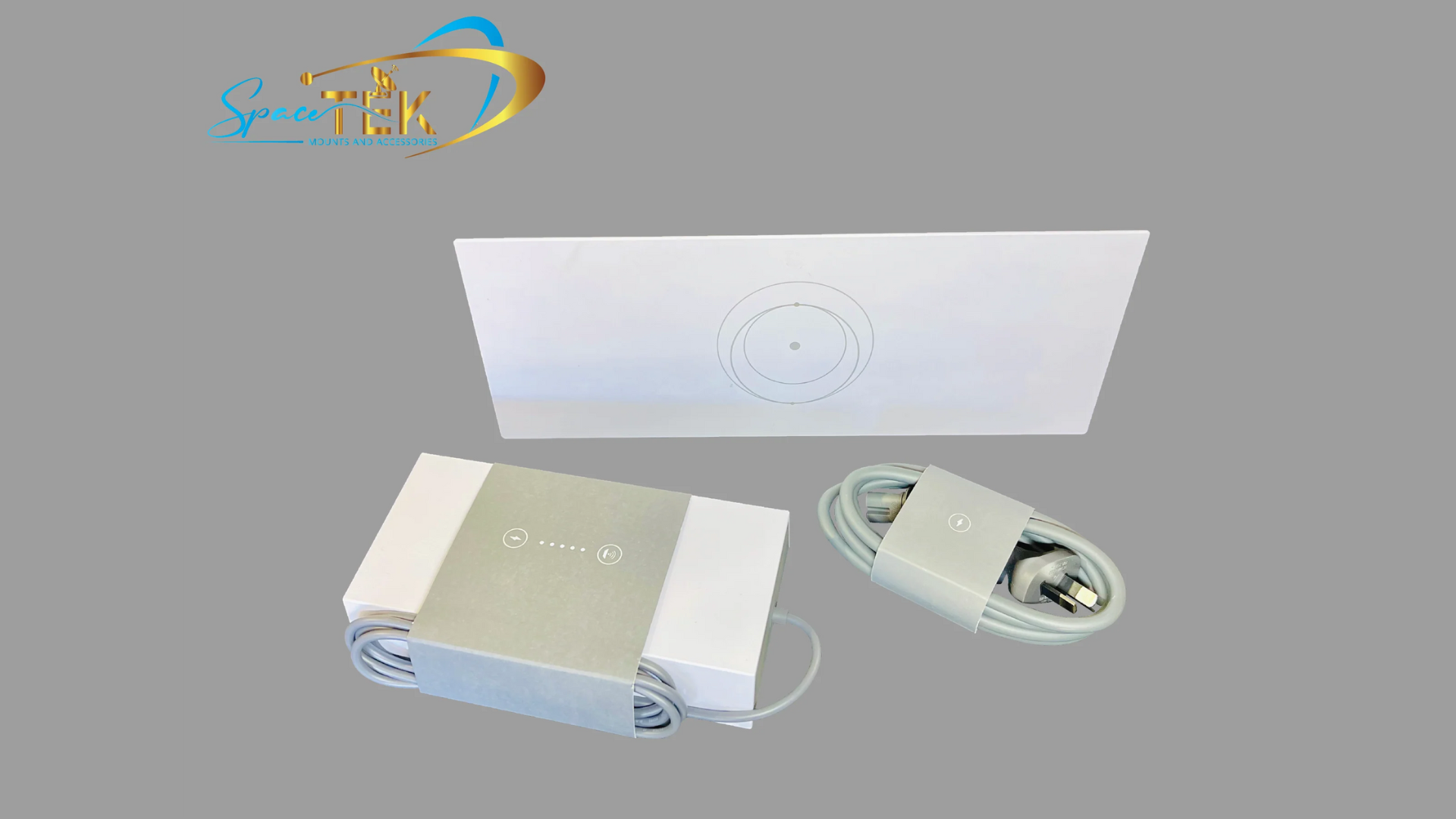
SpaceTek New Zealand designs premium DC power solutions specifically for New Zealand conditions, including our high-efficiency StarPower V2 and V3 DC power supplies. These units deliver significant DC-to-DC efficiency advantages over traditional AC inverters, engineered from precision-machined aluminium to handle the heat, dust, and vibration of real outback touring.
Why do you need a Starlink 12V adapter for off-grid power?
When you pack up the 4WD or caravan to head into the red dirt, managing your power budget becomes just as important as keeping your water tanks full. The standard Starlink kit comes out of the box with a 240-volt AC power supply. This is perfectly fine if you are plugged into mains power at a caravan park, but it presents a major headache when you are relying on a 12V dual-battery system or a solar setup.
To run the factory Starlink power brick off-grid, you have to turn on your vehicle's AC inverter. An inverter takes the 12V DC power from your batteries, converts it to 240V AC, sends it through the Starlink cable, and then the Starlink power brick converts it right back down to DC (either 48V or 57V depending on the model).
This constant back-and-forth conversion process is incredibly inefficient. Every step of the conversion loses energy in the form of heat. By using a Starlink 12V adapter, you bypass this entire loop. The adapter connects directly to your 12V or 24V battery bank and steps the voltage up to the exact DC level your dish needs in a single, highly efficient step.
For anyone customising their RV and Caravan Setups, switching to direct DC power means your batteries last longer, your electrical cupboard stays cooler, and you do not have to leave a noisy, power-hungry inverter running 24/7 just to keep your Wi-Fi active.
How does a DC power setup compare to an AC inverter?
To understand the real-world benefit of a direct DC setup, we have to look at the numbers. A standard multi-use inverter/charger can consume an estimated 30 to 50 watts of electricity just sitting idle. That means even if your Starlink dish is completely asleep and drawing zero power, your inverter is quietly draining your battery bank just by being switched on.
When you add the actual power consumption of the Starlink dish on top of that idle draw, your battery bank takes a massive hit. Let's look at how the power consumption compares in estimated real-world testing:
- Via standard AC inverter: Running Starlink through a factory AC adapter powered by a standard inverter draws approximately 82 watts.
- Via direct 12V DC adapter: Powering the same Starlink dish directly from a 13.8V battery system using a DC-to-DC converter draws approximately 63 watts during constant upload and download testing.
Saving nearly 20 watts might not sound like a massive deal at first glance, but when you multiply that over a 24-hour period, it can save an estimated 480 watt-hours of energy daily. In caravan terms, that is roughly 40 amp-hours of battery capacity saved daily, enough to run a portable fridge-freezer for an extra half-day.

At SpaceTek, we developed the StarPower range of high-efficiency DC power supplies, including the StarPower V2 and V3, to help off-grid travellers make the most of their power setups. These units offer clear DC-to-DC efficiency advantages over AC inverters by eliminating unnecessary conversion losses. Bypassing the stock Starlink router entirely and using a direct DC converter allows you to plug the dish into your own energy-efficient 12V travel router. If you want to plan your off-grid electrical setup down to the last watt-hour, check out our Starlink Performance Complete Guide for a deep dive into power budgets and system optimisation.
Which Starlink models are compatible with 12V DC power?
Different generations of Starlink hardware have very different power requirements. Before you buy a Starlink 12V adapter, you need to know exactly which dish you have and what voltage it expects.
- Starlink Gen 2 (Actuated): The older rectangular dish with the motorized mount. This system requires a regulated 48V Power over Ethernet (PoE) injector setup to run on DC.
- Starlink Gen 3 Standard (V4): The kickstand model that does not move on its own. This dish is highly popular for caravan roof mounts and requires a stable DC input, typically around 56V to 57V.
- Starlink Mini: The ultra-portable, compact dish with a built-in router. This model is incredibly versatile and runs on a much wider input voltage range, typically designed for 28V to 30V DC for optimal performance.
How do you power the Starlink Gen 3 with a 12V adapter?
The Starlink Gen 3 Standard dish is an absolute powerhouse, but it is also quite hungry for electricity. Unlike the older models, the Gen 3 router and dish require a regulated DC input to operate reliably.
To power this setup from a standard 12V vehicle battery, you need a heavy-duty step-up converter that can take an input range of 10V to 30V and output a clean, regulated voltage. This is where our SpaceTek StarPower V3 DC power supply comes into play. It is specifically engineered to handle the unique current demands of the Gen 3 Standard setups, offering superior DC-to-DC efficiency advantages over AC inverters by eliminating conversion losses.
When setting up a Gen 3 system on 12V, you also have to consider the "snow melt" feature. While we do not get much snow in New Zealand, this automatic heating function can trigger during heavy downpours or freezing desert nights, significantly increasing the power draw. If your step-up converter cannot handle the sudden surge, your system will drop out.
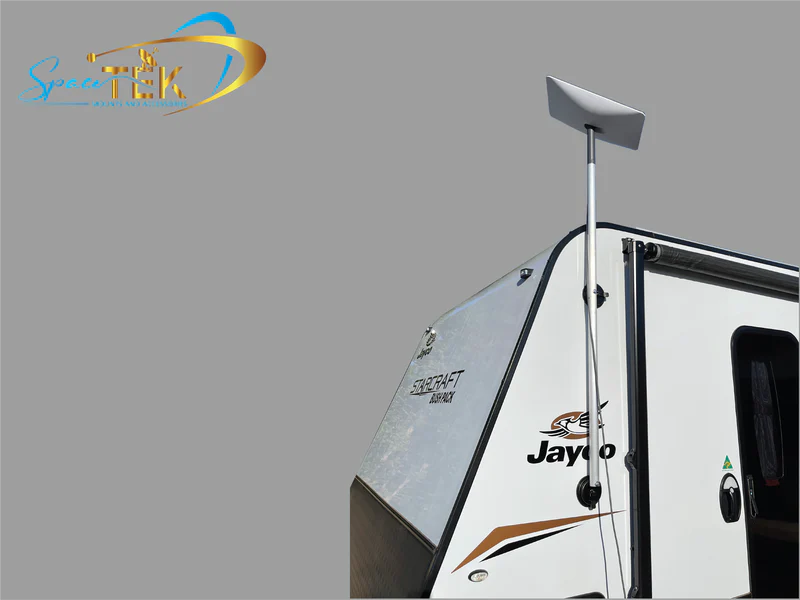
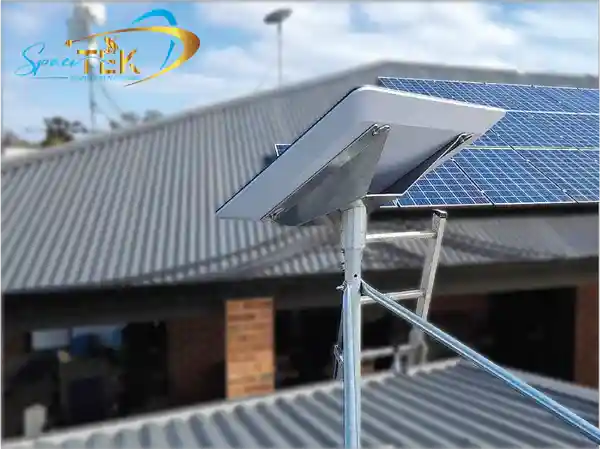
To keep your setup secure and running smoothly on the road, pair your power supply with our heavy-duty Gen 3 V4 Mounts and Accessories. Unlike cheap, flimsy 3D-printed alternatives that degrade under the harsh New Zealand sun, our Starlink mounts are precision-machined from solid aluminium and reinforced composites to withstand the worst the outback can throw at them.
How do you power the Starlink Mini with a 12V adapter?
The Starlink Mini is a game-changer for lightweight travel. Because the router is built directly into the dish, the power requirements are much lower than the Gen 3 Standard. The Mini is designed to accept a DC input range, but running it on a bare 12V battery can lead to dropouts if your battery voltage sags when other appliances (like a water pump or compressor fridge) kick in.
To prevent this, we recommend stepping up your 12V or 24V supply to a stable 28V or 30V DC using a dedicated converter like the SpaceTek StarPower V2. This ensures your Mini receives a constant, clean stream of power regardless of what your vehicle's alternator or solar panels are doing, providing clear DC-to-DC efficiency advantages over running an AC inverter.
Using a dedicated 12V adapter allows you to run a much thinner, lighter DC power cable directly to your dish. You can explore our range of compatible Starlink Mini Accessories to find compact Starlink mounts and integrated power cables that minimise clutter on your roof rack.
How do you install and wire your 12V DC power system?
Wiring a Starlink 12V adapter into your caravan, canopy, or boat is a straightforward job, but doing it correctly is critical to avoid voltage drop and intermittent dropouts. Starlink hardware is highly sensitive to voltage fluctuations; a tiny drop in supply can cause the dish to reboot mid-connection.
Follow these best practices for a reliable installation:
- Choose the right wire gauge: Avoid using thin speaker wire. For cable runs up to 2 metres from your battery or fuse block, we recommend using a minimum of 14AWG (or 4mm² automotive wire). If your power supply is mounted further away, upgrading to 6mm² wire helps eliminate the chance of voltage drop.
- Install a dedicated fuse: Always protect your circuit. We recommend installing a 15-amp inline fuse on the positive wire as close to the battery source as possible. This protects your expensive Starlink hardware from short circuits and safely handles the brief startup current surge.
- Use quality connectors: Avoid cheap plastic cigarette lighter plugs. They are notorious for vibrating loose on corrugated dirt roads, causing high resistance and dangerous heat buildup. Instead, use heavy-duty, vibration-resistant Anderson plugs or direct screw-terminal blocks.
- Provide plenty of ventilation: DC-to-DC converters work hard to step up your voltage, and they will get warm during extended upload and download sessions. Mount your adapter in an area with decent airflow, and avoid burying it behind cushions or inside unventilated storage boxes.
Frequently asked questions about Starlink 12V adapters
What fuse size do I need for a Starlink 12V setup?
For a standard 12V DC installation running a Gen 3 dish or a converted Gen 2 setup, we highly recommend a 15-amp fuse. While the average running draw is much lower, the dish can pull a brief surge of approximately 10 to 12 amps when it first boots up and starts searching the sky. If you are running on a 24V system, a 10-amp fuse is typically recommended since the higher voltage reduces the current draw.
Can I run Starlink directly off my car's cigarette lighter socket?
We strongly advise against running high-draw Starlink setups (like the Gen 3 Standard) off a standard dashboard cigarette lighter socket. Most factory vehicle sockets are wired with thin cabling and are typically rated for a maximum of 10 amps. The combination of thin wire and a spring-loaded plug almost guarantees a severe voltage drop, which can cause your Starlink to constantly reboot or fail to connect. Always wire your adapter directly to a dedicated fuse block or battery terminal using heavy-duty cabling.
Does using a 12V adapter bypass the Starlink router?
It depends on how you configure your setup. With the Starlink Mini, the router is built into the dish, so you are always using the internal router. For the Gen 3 Standard, you can choose to power the factory Starlink router directly via DC, or you can use a direct DC power supply (like our StarPower V2 or V3) to power a PoE injector. This allows you to bypass the bulky Starlink router entirely and feed the internet signal straight into a high-performance, low-power 12V travel router of your choice.
Powering Starlink More Efficiently Off-Grid
Upgrading your off-grid setup with a Starlink 12V adapter is one of the best moves you can make for your caravan or 4WD power budget. By cutting out the power-hungry AC inverter, you can keep your devices connected to high-speed satellite internet all day and night without worrying about waking up to a flat battery bank.
At SpaceTek, we believe that off-grid reliability comes down to two things: efficient power management and rugged physical hardware. Our premium New Zealand-designed dish mounts and DC power supplies are engineered to withstand the extreme heat, relentless dust, and brutal corrugations of the remote New Zealand locations.
Ready to upgrade your off-grid caravan or vehicle setup with a professional, highly efficient internet system? Contact SpaceTek New Zealand today for expert advice on matching the right DC power solutions and heavy-duty mounts to your travel plans.

Leave a comment
This site is protected by hCaptcha and the hCaptcha Privacy Policy and Terms of Service apply.