
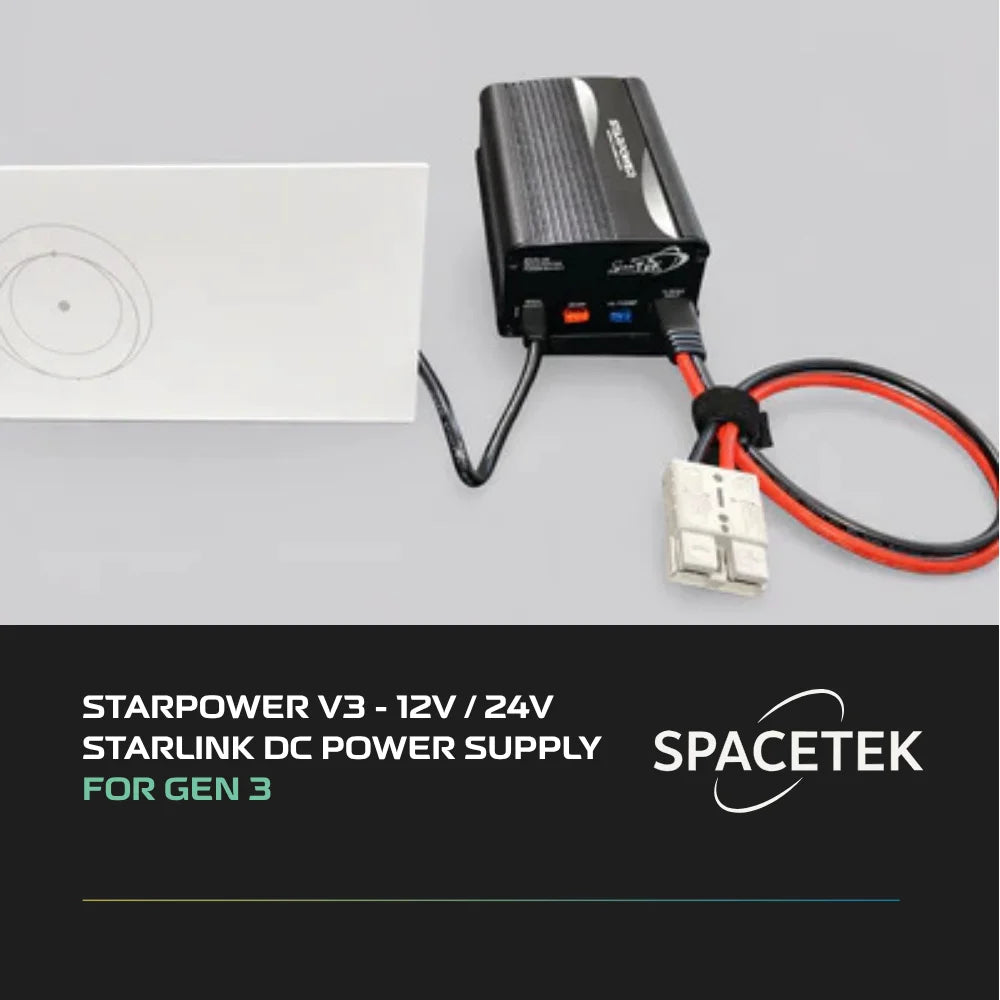
Why is a Starlink Gen 3 12V setup crucial for off-grid power?

Setting up a Starlink Gen 3 12V system is the most efficient way to power your high-speed internet off-grid. By running directly on DC battery power, you eliminate the massive energy waste of standard AC inverters.
To safely convert your Gen 3 dish to 12V, you need a high-quality step-up converter and a passive PoE injector. A dedicated solution like the StarPower V3 12V/24V DC Power Supply for Gen 3 delivers a stable regulated DC input of 57V directly to your dish.
Converting to a direct DC setup offers several key advantages for mobile users:
- Eliminates inverter waste: Saves 30 to 50 watts of idle power draw by bypassing large AC inverters.
- Reduces overall draw: Lowers your average power consumption to around 63W during active use.
- Prevents system dropouts: Delivers a stable regulated DC input of 57V to prevent dish reboots under heavy load.
- Simplifies your installation: Powers both your dish and your router from a single battery source.
Power is the ultimate currency when you are touring New Zealand. Whether you are parked in the outback or anchored in a coastal bay, every single watt counts.
Most people run their Starlink through a large AC inverter. This setup wastes significant battery power just keeping the inverter running.
If you want to live off-grid without constantly watching your battery monitor, you need to eliminate that waste. Doing it properly the first time means switching to a direct DC power setup.
Our team at SpaceTek New Zealand designs robust gear specifically for harsh local conditions. We help caravan owners, remote residents, and boaties get reliable, high-speed internet without draining their batteries.
Using a direct DC system ensures your dish receives stable regulated DC input even when your battery voltage fluctuates. It keeps your connection rock-solid during heavy rain and intense outback winds.
Let us look at how much power you can save by cutting out the middleman.
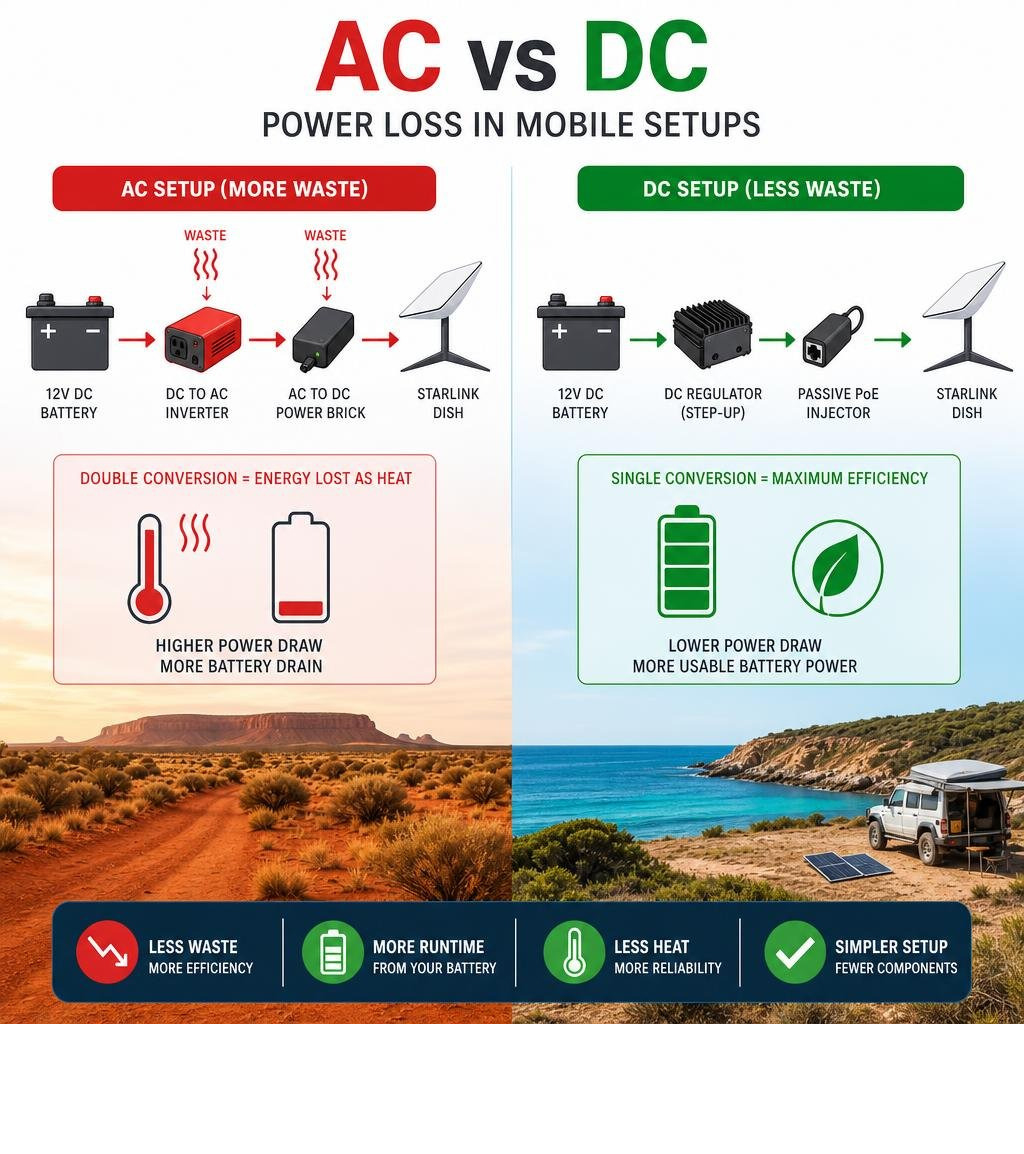
AC vs DC Power and Why It Matters for Starlink Gen 3 12V Systems
An AC to DC power conversion system is necessary for Starlink because batteries store direct current (DC) while standard retail appliances use alternating current (AC). When you run a standard AC power supply off a battery, your system must convert DC to AC via an inverter, only for the Starlink power brick to convert it right back to DC, creating massive thermal and electrical inefficiencies.
To understand why this dual-conversion process is such a battery killer, we need to look at how electricity behaves in a mobile setup. Alternating current reverses its direction periodically and is excellent for transmitting power over long distances to our homes. Direct current flows in a single direction and is the native language of batteries, solar setups, and highly sensitive microelectronics like your Starlink dish.
When you use a standard inverter to power your dish, you pay a heavy "inverter tax". A typical 3000W inverter draws between 30 and 50 watts of idle power just by being turned on, even if the dish is barely pulling any data. Over a twenty-four-hour period, that idle waste alone can chew through a massive chunk of your usable battery capacity.
The choice of your battery system voltage also plays a huge role in overall efficiency:
- 12V Battery Systems: These are the standard in most caravans, 4WD dual-battery setups, and smaller campervans. While highly accessible, they operate at lower voltages, which means they require higher current (amperage) to deliver the same amount of power.
- 24V Battery Systems: Commonly found in larger motorhomes, trucks, and custom off-grid solar cabins. Operating at 24V reduces the current draw by half compared to a 12V system for the exact same wattage output.
Reducing the current draw is incredibly beneficial because it minimises voltage drop. Voltage drop occurs when electricity travels down a wire; the longer the run and the thinner the cable, the more energy is lost as heat. In a 12V system, even a minor voltage drop can cause your equipment to drop out or reboot.
By understanding these fundamentals, you can see why running your hardware directly on native DC power is a game-changer.
Direct DC Power Conversion for Starlink Gen 3
Direct DC power conversion for Starlink Gen 3 involves boosting your battery bank's low-voltage output up to a stable, high-voltage DC supply to power the dish via Power over Ethernet (PoE). Because the Gen 3 dish requires a stable regulated DC input of 57V to operate reliably, a dedicated step-up converter is used to bypass the standard AC router entirely.

The Standard Gen 3 dish is a hungry piece of gear compared to its predecessors. It relies on a high-voltage passive PoE system to send both power and high-speed data down a single, unmodified factory cable. While some generic 12V conversion kits on the market only step up the voltage to 48V, this is often insufficient for the Gen 3 hardware. Under heavy upload loads, during startup, or over long cable runs, a 48V supply can drop low enough to trigger constant, frustrating dish reboots.
To prevent these dropouts, a high-quality DC-DC step-up converter is used to raise your 12V or 24V battery power to a stable 57V output. This ensures that even if your house batteries dip down to 11.5V under a heavy appliance load, your Starlink dish continues to receive the pristine, regulated voltage it needs to maintain a continuous connection.
Implementing a direct DC power path is one of the smartest upgrades you can make to your rig. It ensures you have a reliable off-grid setup that is ready for any adventure. You can explore more about the necessity of safeguarding your setup in our article on Why you need a DC power backup and read our comprehensive walkthrough on Powering Starlink directly from DC.
Benefits of a Starlink Gen 3 12V Setup
Ditching the inverter and switching to a native 12V setup yields immediate, measurable benefits for your off-grid lifestyle. The most significant advantage is pure power savings. In a standard AC-powered configuration, the Gen 3 system draws roughly 82W. When converted to a native DC setup, that draw drops to a highly efficient 63W under constant upload and download conditions.
By eliminating the inverter's idle draw, you can run your satellite internet for almost double the time on the same battery bank. This is incredibly useful for caravan travellers who want to leave their internet active 24/7 so they can use smart home sensors, monitor security cameras, or make Wi-Fi calls without worrying about waking up to a dead house battery.
To make the most of these power savings on your next trip, check out our dedicated Starlink caravan setup collection to find the perfect mounting and integration solutions for your home on wheels.
How to Install a Starlink Gen 3 12V Conversion Kit
Installing a Starlink Gen 3 12V conversion kit is a straightforward process if you follow a methodical, step-by-step approach. Always ensure your battery system is fully switched off before starting any electrical work.
- Mount the hardware: Securely mount your step-up converter and PoE injector inside a well-ventilated electrical cabinet or canopy space.
- Prepare the input wiring: Use high-quality 10 to 14 AWG marine-grade stranded copper wire to connect your DC power source to the step-up converter input.
- Install the fuse: Place a high-quality fuse holder on the positive wire as close to your battery connection as possible. Use a 10A fuse for standard operation, or upgrade to a 15A fuse if you plan to use the automatic snow melt feature.
- Connect the grounding wire: Grounding is vital for preventing packet loss and protecting your hardware from static buildup. Connect the ground port on your lightning arrestor or PoE injector directly to your vehicle's metal chassis or common ground point.
- Verify the voltage: Before plugging in your expensive Starlink hardware, turn on the DC circuit and use a digital multimeter to verify that the converter is outputting a stable 57V DC.
- Plug in the dish: Connect your unmodified factory Starlink cable into the PoE injector output port, and connect your third-party router to the local area network (LAN) port.
For a reliable, all-in-one package that takes the guesswork out of this process, the StarPower V3 12V/24V DC Power Supply for Gen 3 is our recommended solution to get your system up and running safely.
SpaceTek New Zealand's Premium DC Power Solutions
SpaceTek New Zealand's premium DC power solutions are highly engineered, robust hardware kits designed to run your Starlink system directly from 12V or 24V battery systems without relying on inefficient inverters.
Our products are built from precision-machined, marine-grade aluminium and folded components rather than cheap 3D-printed plastics, ensuring they can easily withstand the brutal vibrations of corrugated outback roads and extreme coastal environments.
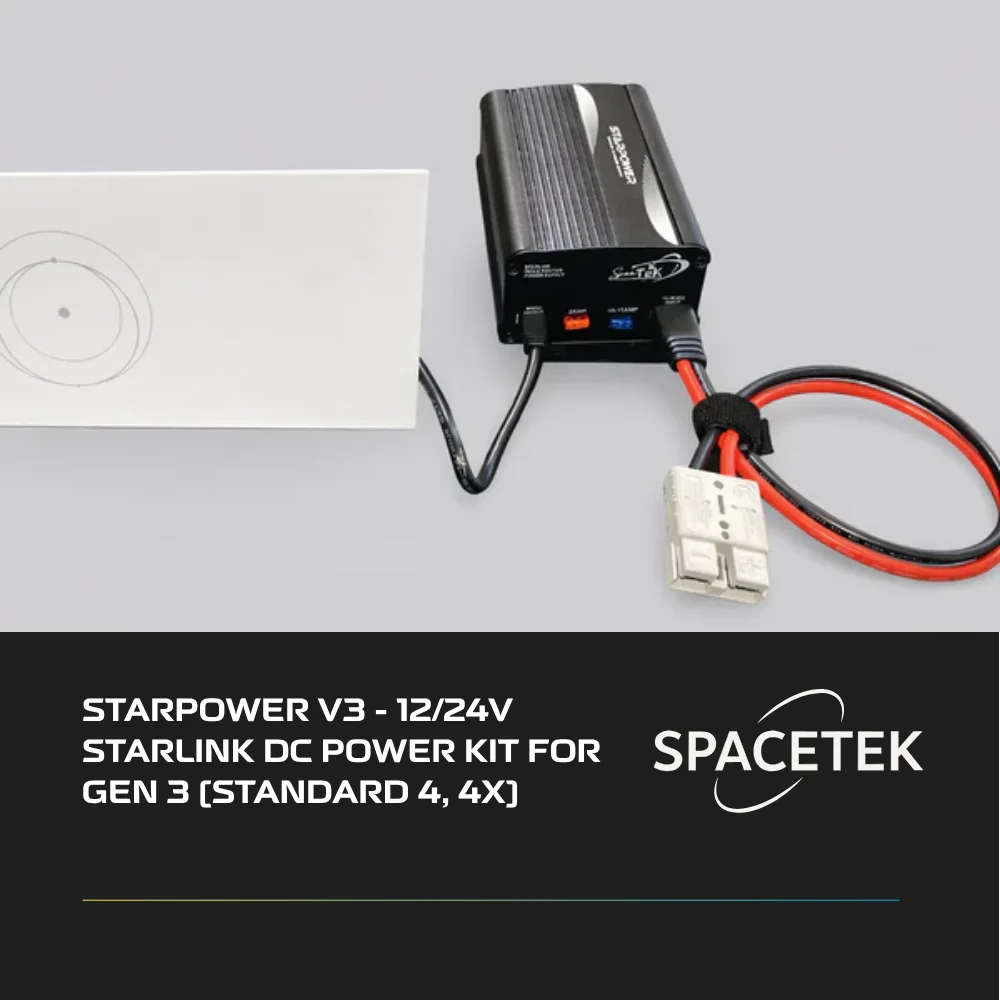
We specialise in creating complete off-grid power ecosystems. Our flagship power kit, the StarPower V3 12V/24V DC Power Supply for Gen 3, is designed specifically to handle the high current requirements of the Standard Gen 3 dish. It accepts a wide input range of 10-36V DC, making it equally comfortable in a standard 12V caravan setup or a heavy-duty 24V commercial truck build.
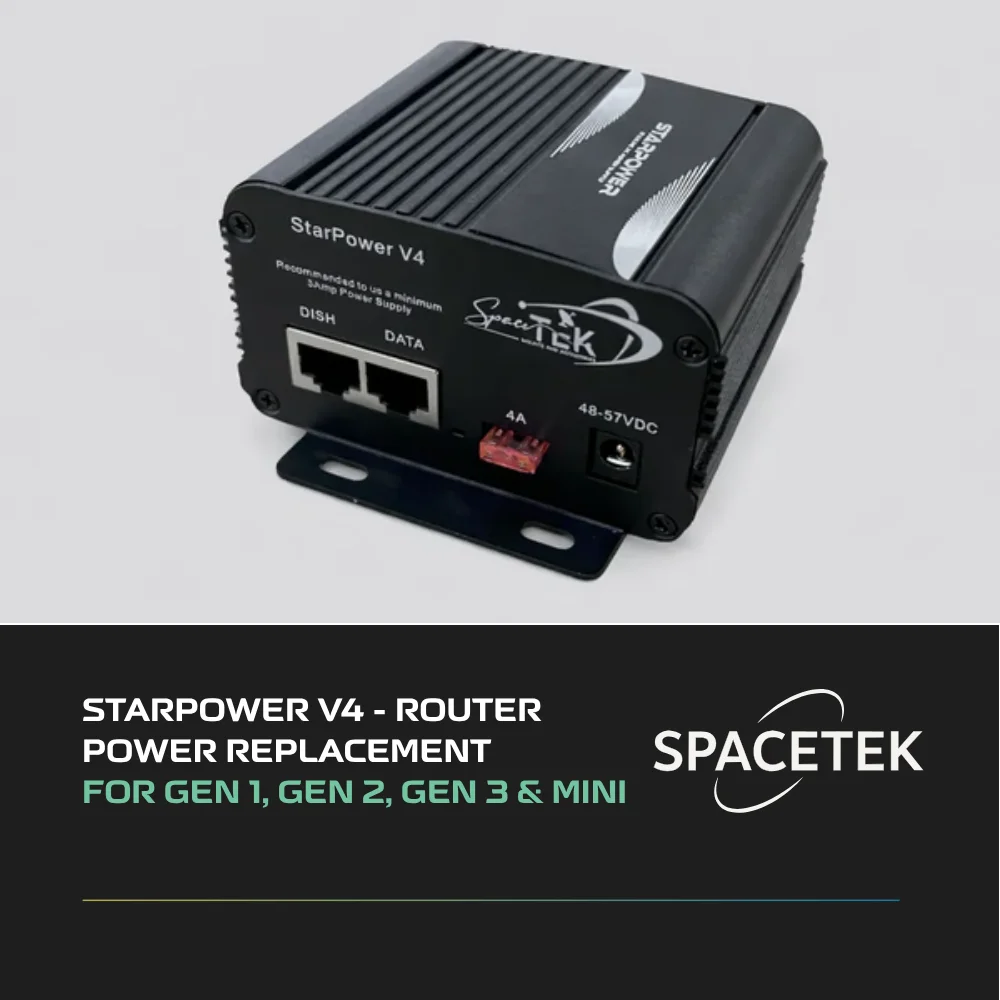
If you are looking for a versatile power hub that can handle multiple generations of hardware, the StarPower V4 Ultimate Power Solution is our ultimate multi-use platform. It provides clean, regulated power for Gen 1, Gen 2, Gen 3, and Mini dishes, allowing you to upgrade your satellite hardware in the future without needing to buy an entirely new power supply.
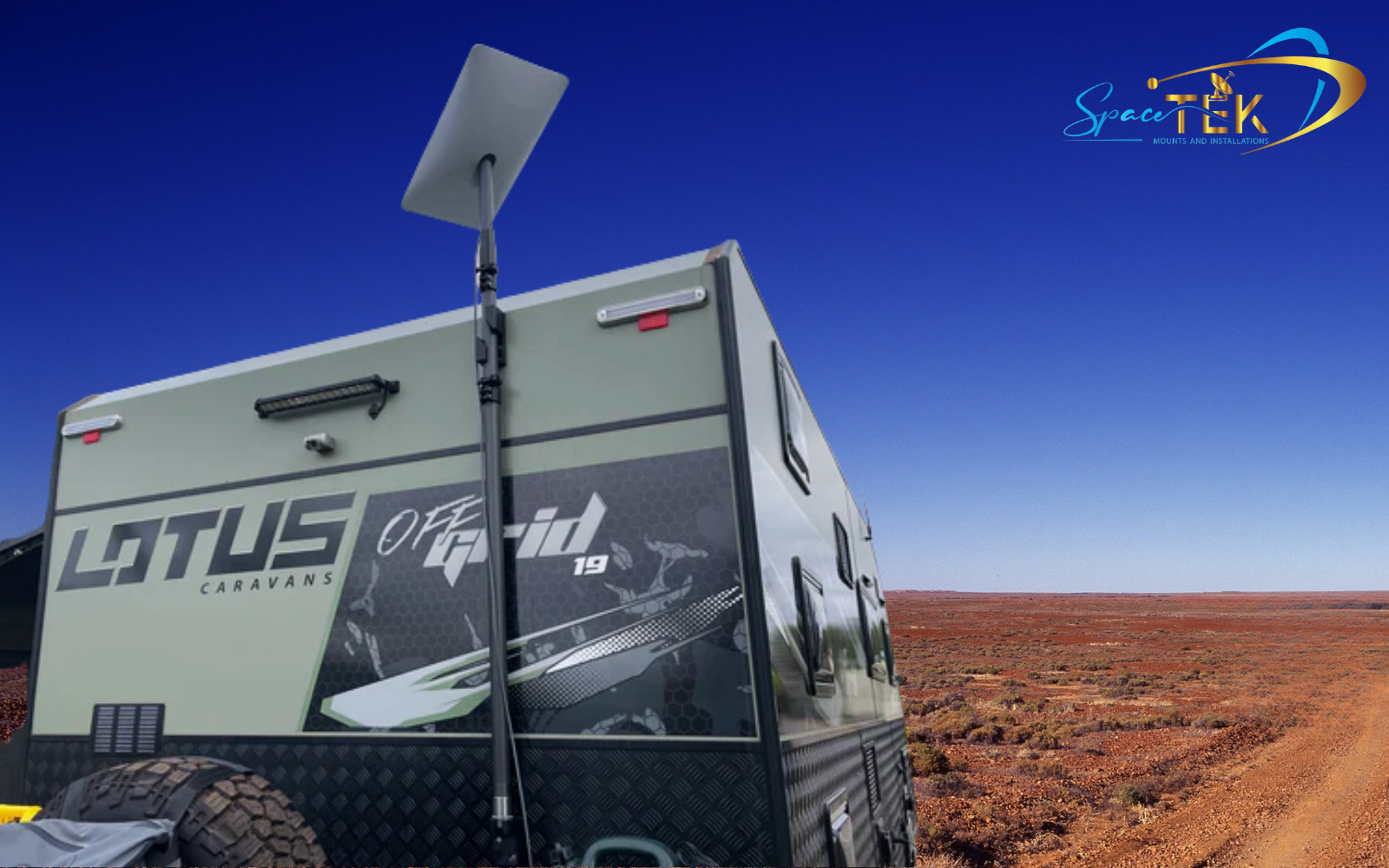
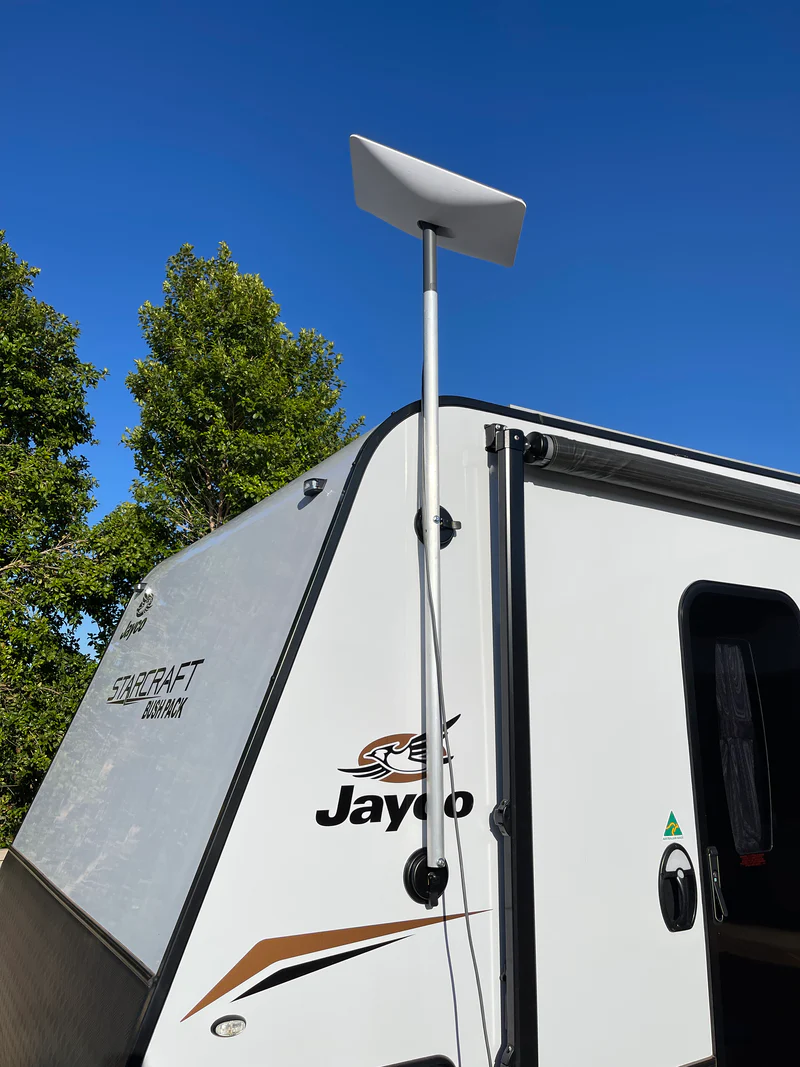
To round out your installation, ensure your dish is held rock-solid against extreme winds with our durable, rust-resistant Starlink Gen 3 V4 Mounts and Accessories. These custom Starlink mounts are engineered to hold your dish steady in the most unforgiving New Zealand weather conditions.
Frequently Asked Questions About Starlink DC Power
Starlink DC power conversions require a clear understanding of voltage, amperage, and proper wiring to avoid damaging your equipment. Because the standard system is designed for home use, converting it for mobile applications often brings up common technical questions regarding safety, power consumption, and hardware compatibility.
If you run into any unique installation challenges or need expert advice on custom wiring configurations, you can always Contact SpaceTek Support to speak directly with our experienced team.
Can Starlink Gen 3 run directly from a 12V battery?
No, the Gen 3 dish cannot run directly on 12V battery power alone without a step-up converter because it requires a stable regulated DC input of 57V to operate. Connecting a 12V source directly to the dish will fail to power the internal electronics and can lead to system instability.
To run the system from a 12V battery, you must use a high-quality DC-to-DC boost converter. This device takes the fluctuating 10V to 15V output from your battery bank and steps it up to the precise 57V DC required by the dish.
Do I need an inverter to run Starlink in my caravan?
You do not need an inverter to run Starlink in your caravan if you install a dedicated DC-DC conversion kit. Bypassing the inverter is highly recommended for caravan setups because it prevents unnecessary battery drain and simplifies your electrical layout.
Using a direct DC setup allows you to run your internet directly off your house batteries. This keeps your caravan's large AC inverter turned off, saving valuable amp-hours for other appliances like fridges and lights.
What is the power consumption of Starlink Gen 3 on 12V?
A converted Starlink Gen 3 setup typically draws around 63 Wh (approximately 4.5A at 13.8V) during normal browsing, streaming, and active data upload or download. This is a significant improvement over the 82W average draw when running through an AC inverter.
It is important to note that if you enable the automatic snow melt feature in cold climates, the system will draw an additional 120W. If you plan to use this function, ensure your wiring is rated for the extra current and that you have installed a 15A fuse.
Conclusion
Off-grid connectivity in New Zealand requires robust, highly efficient power systems that can handle long distances, extreme heat, and rugged remote travel. Transitioning your Starlink Gen 3 12V setup to a direct DC power configuration is the single most effective way to secure reliable high-speed internet without draining your battery bank.
By eliminating the unnecessary dual-conversion process of AC inverters, you can enjoy a massive reduction in daily power consumption. This gives you the freedom to stay off-grid longer, work remotely from the deep outback, and keep your safety communications online 24/7.
When you are ready to upgrade your mobile setup, make sure you do it properly the first time. Explore our complete range of Starlink caravan setups and find all the heavy-duty Starlink cables and accessories you need for a professional, clean installation.
If you have any questions about choosing the right power solution for your rig, do not hesitate to reach out to us via our Contact Us page. Our team is always here to help you stay connected, no matter where the road takes you.

Leave a comment
This site is protected by hCaptcha and the hCaptcha Privacy Policy and Terms of Service apply.