
Is Starlink Available in Queensland, Australia?
Yes. Starlink in Queensland, Australia is available state-wide from suburban Brisbane to the remote outback, Far North Queensland, and the Cape York Peninsula. Coverage extends across all of Queensland, including areas where fixed-line NBN and mobile networks simply don't reach.
Here's a quick overview of what Queensland residents need to know:
- Coverage: All of Queensland is covered, including rural, regional, and very remote locations
- Performance: Typical download speeds significantly outperform older satellite services like NBN Sky Muster, with much lower latency
- Hardware: A self-install kit is available online, at Bunnings, or through resellers — no technician required
- Installation: Requires a clear, unobstructed view of the southern sky
- Demand surcharges: A one-off fee may apply in some locations — check your address at starlink.com/au
- Alternatives: NBN Sky Muster, fixed wireless NBN, 5G home internet, or Telstra's Starlink-powered plan may suit some addresses
For many Queenslanders, getting a reliable internet connection has always felt like a lottery. If you live in Brisbane or the Gold Coast, you likely have solid NBN fibre options. But travel a few hours west, north, or into the outback, and the picture changes fast — patchy mobile coverage, slow Sky Muster speeds, and frustrating dropouts become the norm.
That's exactly why Starlink has resonated so strongly across regional and remote Queensland. With over 200,000 active subscriptions across Australia — already dwarfing the roughly 80,000 NBN Sky Muster services in use — it's clear that Australians are voting with their wallets. The technology uses a constellation of low-Earth orbit (LEO) satellites to deliver fast, low-latency broadband virtually anywhere, and Queensland's sheer size and geographic diversity make it one of the most compelling use cases in the country.
In communities like Wujal Wujal in Far North Queensland, Starlink became the only reliable communication link after Cyclone Jasper damaged fibre-optic infrastructure — a powerful real-world demonstration of what this technology can offer in a state that regularly faces extreme weather events.
This guide covers everything Queensland residents, farmers, remote workers, and travellers need to know — from performance expectations and installation requirements to mounting solutions built for Australia's harsh conditions.
Why Starlink Has Become Popular Across Regional Australia
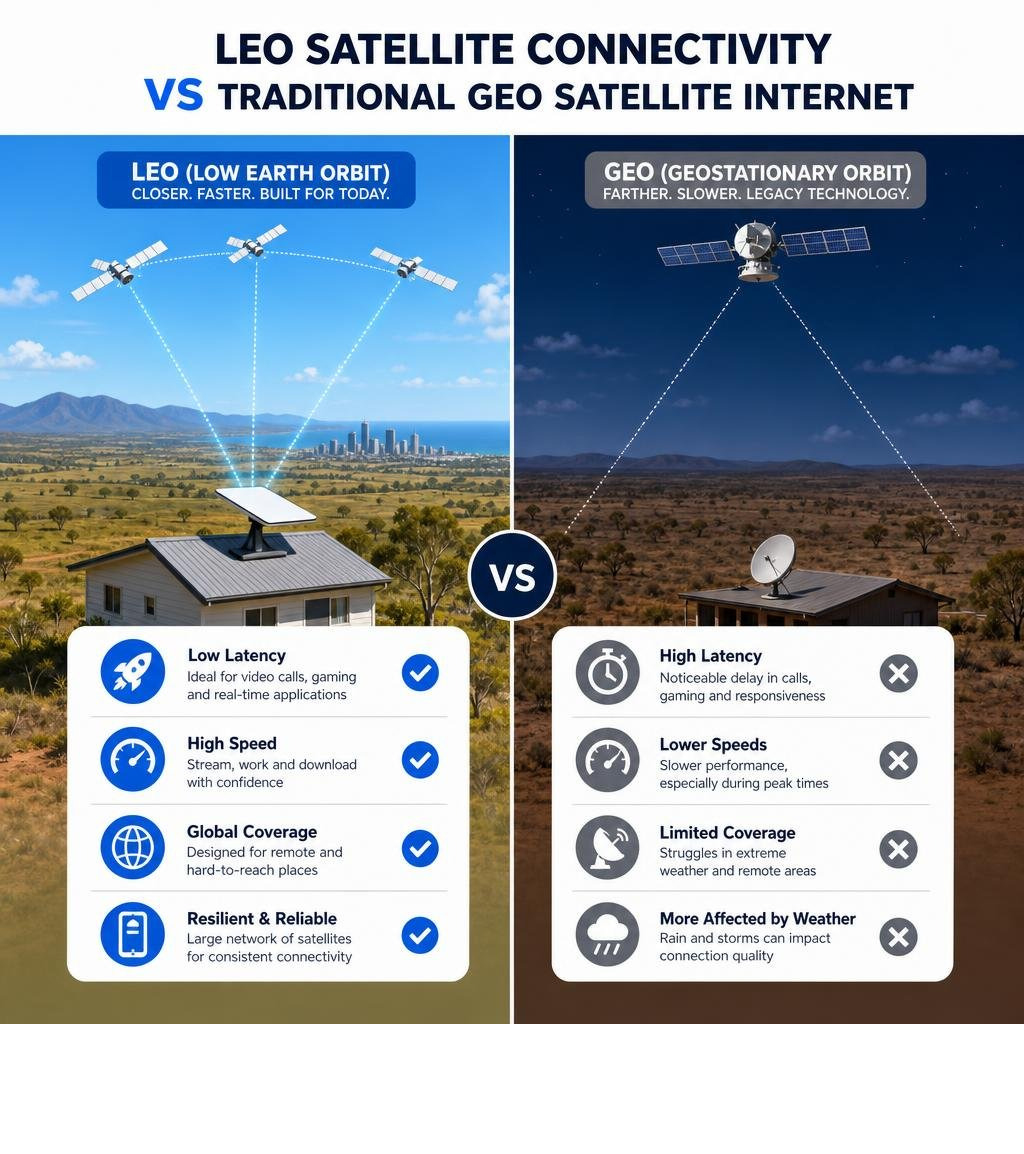
For decades, regional and rural Australians have had to make do with second-rate internet. Traditional geostationary satellite systems sit more than 35,000 kilometres above the Earth. This massive distance creates a physical bottleneck: signals take a long time to travel back and forth, resulting in high latency. If you have ever tried to host a video call, play an online game, or access real-time cloud software on a legacy satellite connection, you know the pain of lag and dropouts.
By contrast, low-Earth orbit (LEO) satellites circle the planet at altitudes of around 550 kilometres — roughly 65 times closer than traditional satellites. This dramatic reduction in distance means latency drops from over 600 milliseconds to a snappy 25 to 60 milliseconds.
This technological leap has made Starlink incredibly popular across regional Australia. It is not just about faster speeds; it is about enabling modern online activities that were previously impossible for rural properties.
Overcoming Rural Connectivity Challenges
In remote parts of the country, digital exclusion is a very real issue. For example, First Nations Australians score an average of 63.4 on the Australian Digital Inclusion Index, compared to 73.9 for non-First Nations Australians. In very remote communities, this gap widens to 24.2 points, leaving many households digitally isolated.
Furthermore, mobile users in remote communities have historically relied heavily on prepaid mobile plans, with many large households spending hundreds of dollars each month on expensive mobile data just to stay connected.
By offering unlimited data plans on its residential tiers, Starlink helps bypass these costly mobile data caps.
Low-Earth Orbit vs Traditional Satellite Internet
To understand why LEO technology is a game-changer for regional Australia, it helps to look at how it differs from traditional geostationary satellite internet:
- Lower Altitude: LEO satellites orbit at ~550km, while older geostationary satellites sit at ~36,000km.
- Reduced Latency: Signals travel a fraction of the distance, dropping latency from over 600ms down to 25–60ms.
- Continuous Hand-offs: Instead of pointing at one fixed satellite in the sky, your dish tracks a moving web of satellites overhead, handing off the connection from one to the next.
- Higher Bandwidth: The massive number of LEO satellites allows for much higher data throughput, typically delivering speeds that easily handle multiple simultaneous high-definition streams.
Deploying Starlink Queensland Australia Wide
From the fertile crop fields of the Darling Downs to the rugged red dirt of the outback, getting a reliable internet connection is critical for Queensland's primary producers and remote communities.
The state's vast geography means that deploying Starlink services has become a key focus for local agricultural operations. Reliable connectivity underpins modern farming, enabling real-time soil monitoring, automated machinery tracking, and seamless communication across sprawling cattle stations.
Performance in Far North and Central Queensland
Whether you are based in regional hubs like Cairns, Townsville, Rockhampton, and Toowoomba, or further inland in Longreach, Starlink delivers impressive performance. The network is supported by a robust ground infrastructure, including key earth stations located across the state.
One such critical link is the Bogantungan earth station on the Capricorn Highway. These local ground stations ensure that data is quickly routed from the satellite constellation directly into the Australian high-speed fibre backbone, keeping latency low and speeds consistent.
Weather Resilience During Tropical Storms
Queensland is famous for its extreme weather, from intense summer storms to tropical cyclones in the Far North. One of the most common questions we get is how the hardware handles these harsh conditions.
While traditional satellite services often drop out completely the moment heavy cloud cover rolls in, Starlink is designed to be highly resilient. However, heavy tropical downpours can cause temporary signal attenuation (often called "rain fade").
During severe storms, the water droplets in the air can scatter the high-frequency radio signals, which may result in a temporary drop in speeds or brief micro-outages. To understand how the system manages these weather events and how to minimise dropouts, check out our Starlink Bad Weather Performance Guide.
Starlink in South Australia and Western Australia
While Queensland is our primary focus, the challenges of vast distances and limited connectivity are shared by our neighbors in South Australia and Western Australia. Regional properties in these states face similar hurdles, making LEO satellite technology just as critical.
Connecting Remote South Australian Properties
In South Australia, reliable internet is essential for communities outside of Adelaide. From the boutique vineyards of the Adelaide Hills to the sprawling grain farms of the Eyre and Yorke Peninsulas, and down through the Riverland, connectivity is the backbone of regional business.
For remote pastoral stations in SA's far north, where mobile towers are hundreds of kilometres away, Starlink provides a lifeline for telehealth, online education, and running modern farming software.
Overcoming Vast Distances in Perth and WA
Western Australia is famous for its sheer scale. Outside of the Perth metropolitan area and the Perth Hills, communities in the South West, Goldfields, Pilbara, and the Kimberley rely on robust communication systems to keep safe and productive.
Remote mining camps, off-grid homesteads, and deep-outback tourism operators use Starlink to bridge the gap across these immense distances. Because the terrain can range from dense forest to flat, dusty desert, choosing a secure mounting position is absolutely critical to keeping the dish safe from harsh winds and ensuring a clear path to the sky.
Starlink Installation and Hardware Requirements
Setting up your connection is a straightforward process because the hardware is designed as a self-install kit. However, getting the best possible performance relies on one simple rule: your dish must have a completely unobstructed view of the sky.
The Starlink app includes a handy built-in obstruction checker that uses your smartphone's camera to scan the sky above your proposed installation site. Even a single overhanging tree branch or a nearby chimney can block the signal as the satellites pass overhead, leading to annoying micro-outages.
Essential Setup Tips and Starlink Queensland Australia Hardware Requirements
When you order your starlink kit, you will receive the latest Gen 3 Standard Kit. This package includes:
- The Gen 3 Standard Dish (which requires manual alignment using the app)
- A high-performance Wi-Fi 6 router that provides excellent coverage across typical homes
- Two built-in ethernet ports on the router for easy wired connections
- High-quality, outdoor-rated power and connection cables
For a detailed, walk-through of the unboxing and configuration process, read our guide on How to Set Up Starlink in Australia Step-by-Step for First Timers.
Choosing the Right Starlink Queensland Australia Mounts and Accessories
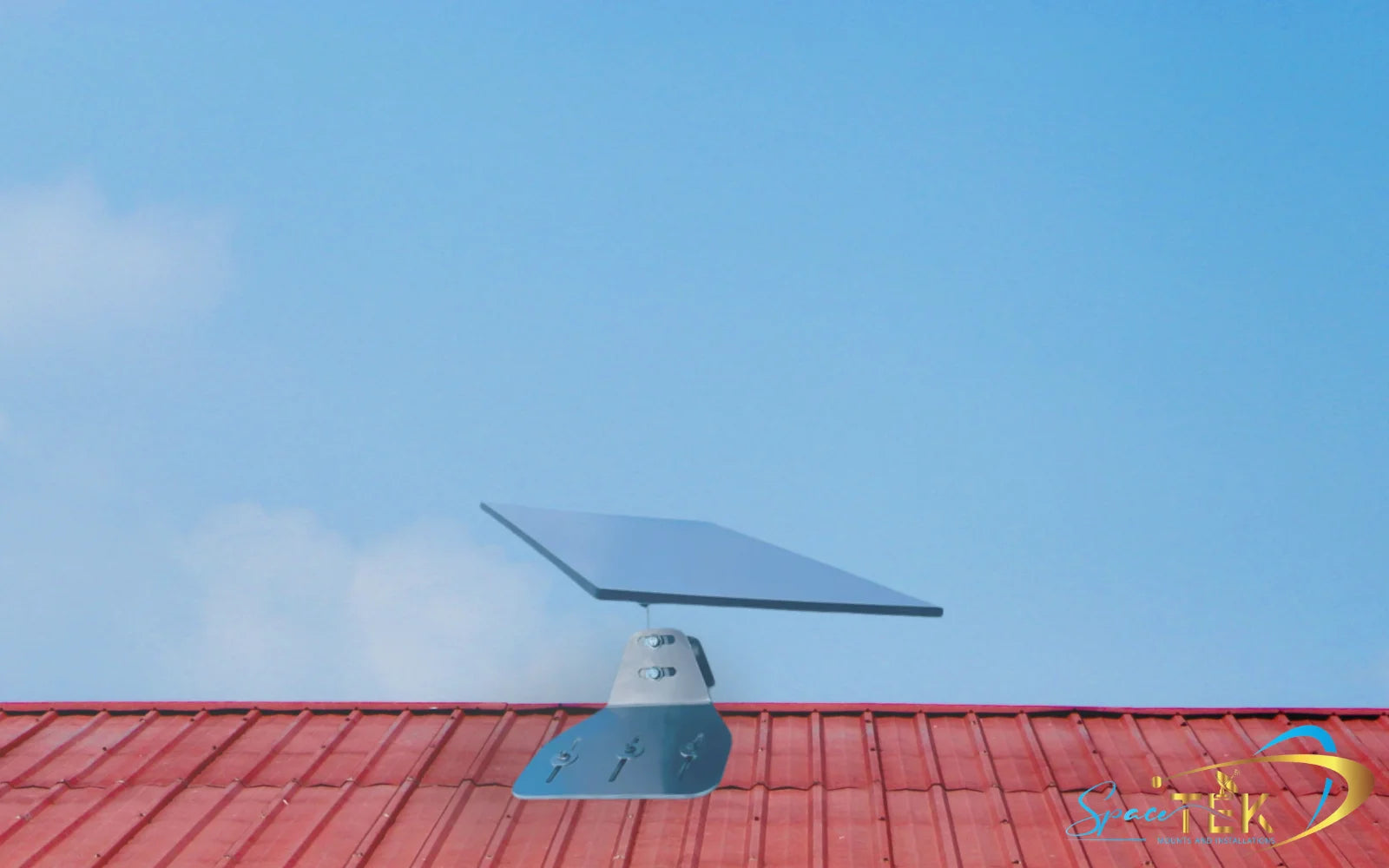
Because the standard kit only comes with a basic kickstand designed for ground-level use, most Australian homes will require a permanent mounting solution. Placing your dish on the roof is the single best way to clear ground-level obstructions like fences, trees, and outbuildings.
At SpaceTek Australia, we design and manufacture heavy-duty, rust-resistant Starlink mounts and accessories specifically engineered to withstand our harsh climate — from intense UV exposure to cyclonic winds.
Our products are precision-machined from high-grade aluminium and reinforced composites (never 3D printed), ensuring your equipment stays secure for the long haul.
- Gen 3 Roof Starlink Mount: Perfect for tin or tile roofs, elevating your dish safely above the roofline.
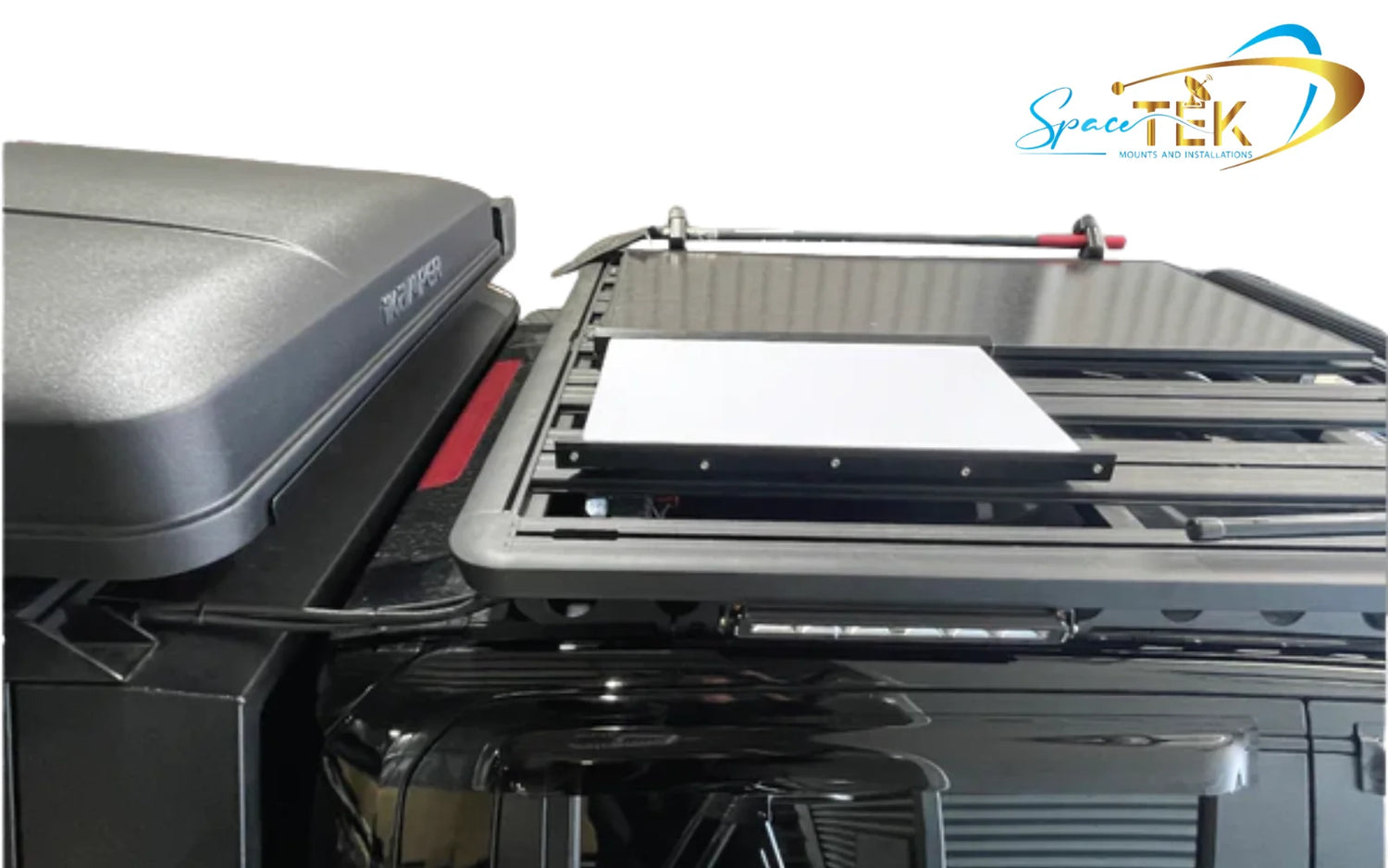
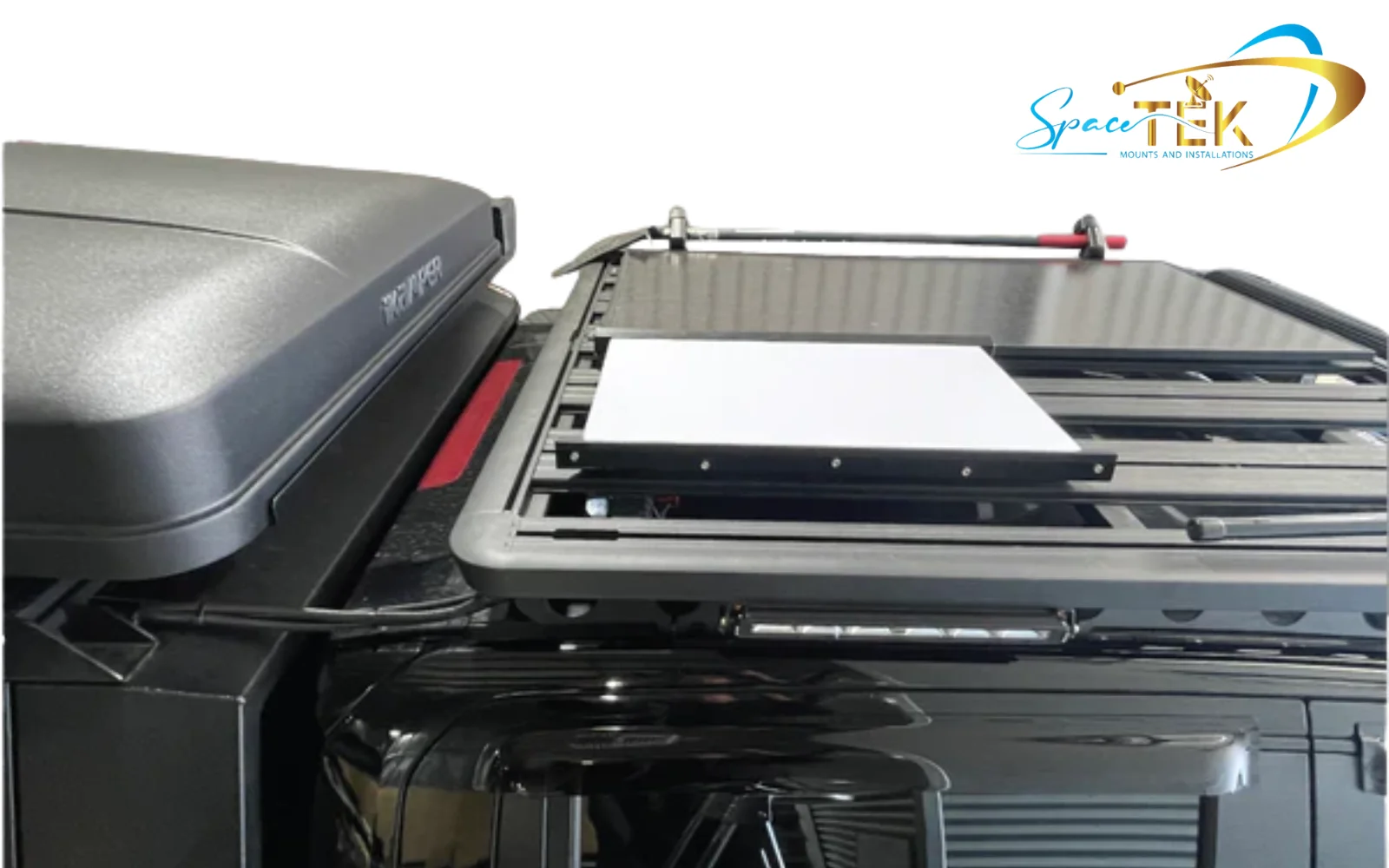
- Starlink Mini Dish Mount: Ideal for caravans, 4WDs, and mobile setups, allowing you to take your internet on the road.
- Premium Shielded Cables: Heavy-duty, UV-stabilised cabling designed to endure the tough Australian sun without degrading.
Explore our full range of rugged mounting hardware at SpaceTek Gen 3 Starlink Mounts and Accessories.
Frequently Asked Questions about Starlink in Australia
Is Starlink available throughout Queensland?
Yes, coverage is available across the entire state of Queensland. However, network capacity can vary by location. In some high-demand or highly populated regional areas, a one-time "demand surcharge" may apply to new activations to help manage local network congestion. You can easily check if this applies to your address by entering your details on the official Starlink website.
Does bad weather affect Starlink performance?
While the system is built to handle rain, wind, and heat, extreme weather can cause temporary slowdowns. Heavy tropical downpours scatter the high-frequency radio signals, which can lead to a brief drop in throughput. Once the heavy rain passes, the connection typically recovers immediately.
Do I need a special mount for Starlink?
While you can technically set the dish up on the ground using the included kickstand, we highly recommend a permanent roof installation. Elevating the dish clears common obstructions like trees and buildings, providing a stable, reliable connection. For a complete breakdown of the best mounting options for your home, read our comprehensive Starlink Mounts Australia Guide.
Conclusion
Whether you are running a cattle station in the outback, working from a coastal regional town, or exploring the country in a caravan, Starlink has redefined what is possible for regional Australian internet. By choosing a high-quality, weather-resistant Starlink mount and ensuring a clear sky view, you can enjoy fast, reliable broadband no matter how far off the beaten track you go.
Ready to upgrade your install?
- Shop SpaceTek Starlink Mini Dish Mounts
- Choose weather-resistant roof-mounting accessories built for tough Australian conditions


Leave a comment
This site is protected by hCaptcha and the hCaptcha Privacy Policy and Terms of Service apply.