
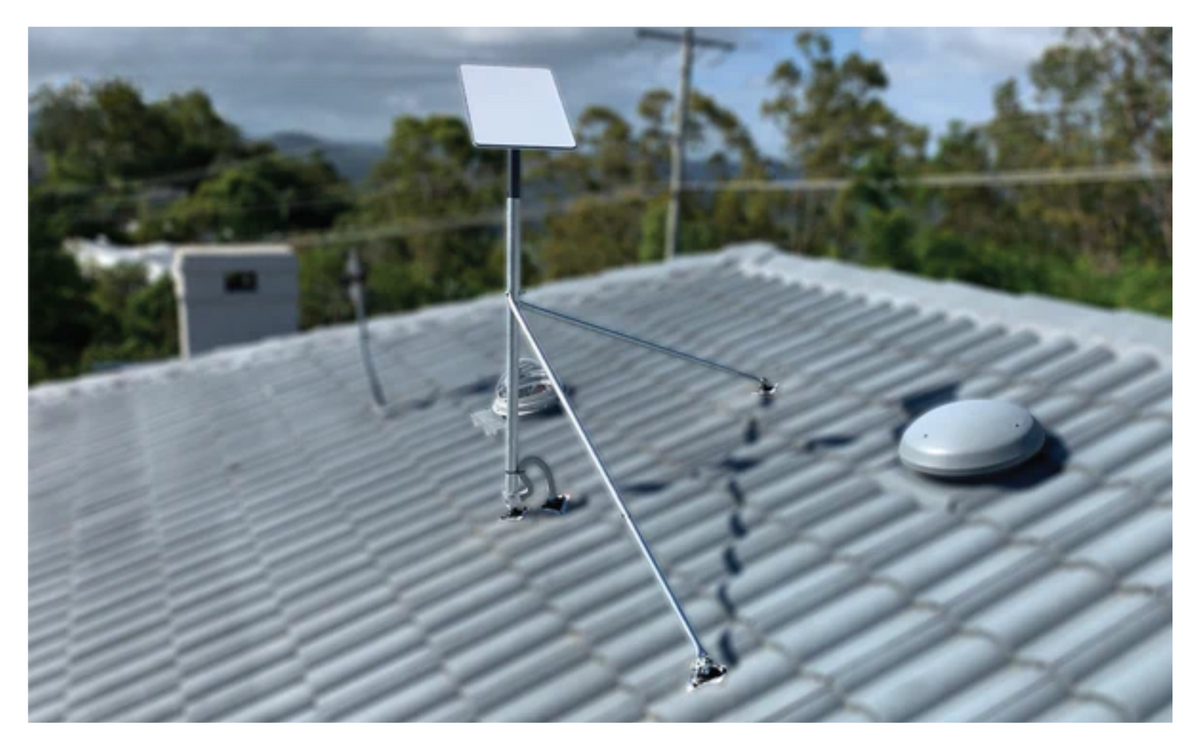
For reliable internet in tough Australian conditions, weather resistant Starlink hardware needs more than a weather-rated dish. A secure mount, sealed cable path and stable direct DC-to-DC power help protect the whole setup from heat, dust, salt, vibration and rain.
Key Takeaways
- Choose precision-machined or folded aluminium and reinforced composite Starlink mounts suited to your roof, vehicle or portable site.
- Seal cable entries with a Weather-Resistant Cable Access Solution and an IP68 bulkhead socket to help keep water and dust out.
- Use a rugged housing when off-road vibration, salt spray or impacts are part of the job.
- Direct DC-to-DC power offers higher efficiency and lower draw than an AC inverter, while supporting router-bypass custom setups.
- Check every mounting point, connector and roof penetration, because one weak link can affect an otherwise tough installation.
SpaceTek Australia designs specialist Starlink accessories and DC power solutions for the real conditions faced by remote households, campers and mobile workers. This guide covers the durable gear and installation choices that can help keep your connection steady when the weather turns rough.
Which Starlink Models Have Built-In Weather Protection?
What Do IP Ratings and Thermal Limits Mean for Starlink Hardware?
Starlink terminals are built for outdoor use, but the level of environmental protection varies by model. Before choosing hardware for a home, caravan, work vehicle or remote site, check the official specifications for the exact terminal you are using.
In broad terms, the current range is designed to cope with dust, rain and changing temperatures:
- Starlink Mini is rated IP67 and is designed for portable use in dusty and wet conditions.
- Starlink Standard is also rated IP67, making it suitable for exposed residential and mobile installations when it is mounted correctly.
- Flat High Performance and Performance Kit equipment is designed for more demanding commercial and mobile applications, with higher protection ratings available for particular configurations.
Why Does a Tough Dish Still Need a Better Installation?
The antenna may be weather resistant, but the rest of the installation matters just as much. Direct sun on a metal roof, red dust, tropical rain, coastal salt and rough tracks can put pressure on mounts, cable jackets, connectors and power equipment.
In central and northern Australia, direct summer sun can make roof-mounted equipment much hotter than the surrounding air. Along the coast, salt spray can accelerate corrosion where incompatible metals meet. Choosing climate-suited materials, corrosion-resistant fixings and a mounting position with good airflow gives the terminal a better chance of operating reliably year-round.
Which Starlink Mounts and Accessories Help in Harsh Conditions?

How Do Stronger Materials Improve Mount Durability?
Your dish mount is the foundation of the whole setup. If it moves in a storm or works loose on corrugations, even a weather-resistant terminal can lose the stable alignment it needs.
SpaceTek mounting components use precision-machined or folded aluminium and reinforced composite structures. These materials are chosen for rigidity, corrosion resistance and dependable performance in sun, salt air and regular vibration. For Australian conditions, that is a practical upgrade over lightweight hardware that can flex, crack or seize over time.
Which Vehicle and Portable Mounts Suit Mobile Use?
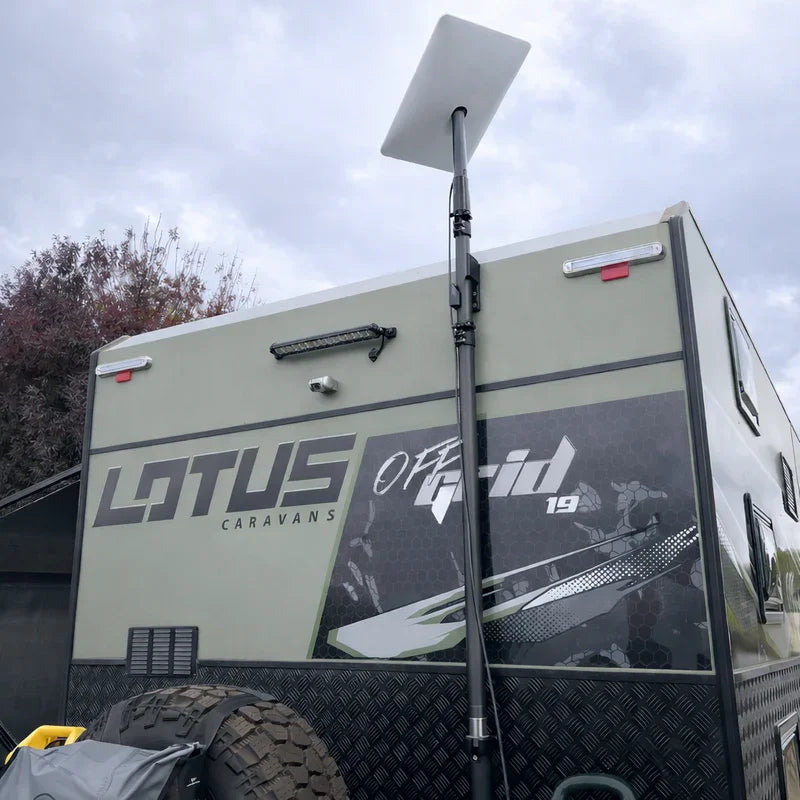
For 4WDs, caravans and work vehicles, the mounting system needs to handle corrugations, wind drag, low branches and frequent travel. SpaceTek’s mobile range is designed with those real-world conditions in mind.
Useful options include:
- Starlink Mini V-Cell Housing, which encloses the terminal in a sealed aerodynamic body for platform roof racks.
- Robust Magnetic Roof Mount, which provides a quick, drill-free mounting option for suitable steel vehicle roofs.
- Starlink Mini Mobility Mount, a low-profile, vibration-damped option for roof racks, canopies and camper shells.
- StarPower DC power supplies, which provide direct DC-to-DC power with higher efficiency and lower draw than AC inverters, plus the flexibility to bypass the Starlink router for custom setups.
How Can You Seal Cable Entries and Power Connections?
What Is the Best Way to Seal Cable Entries on Roofs and Caravans?
A poorly sealed cable entry can let water into a caravan or vehicle and expose sensitive electronics to moisture and dust. A proper cable portal and gasketed connection give you a much more reliable result than relying on a quick bead of ordinary silicone around a bare hole.
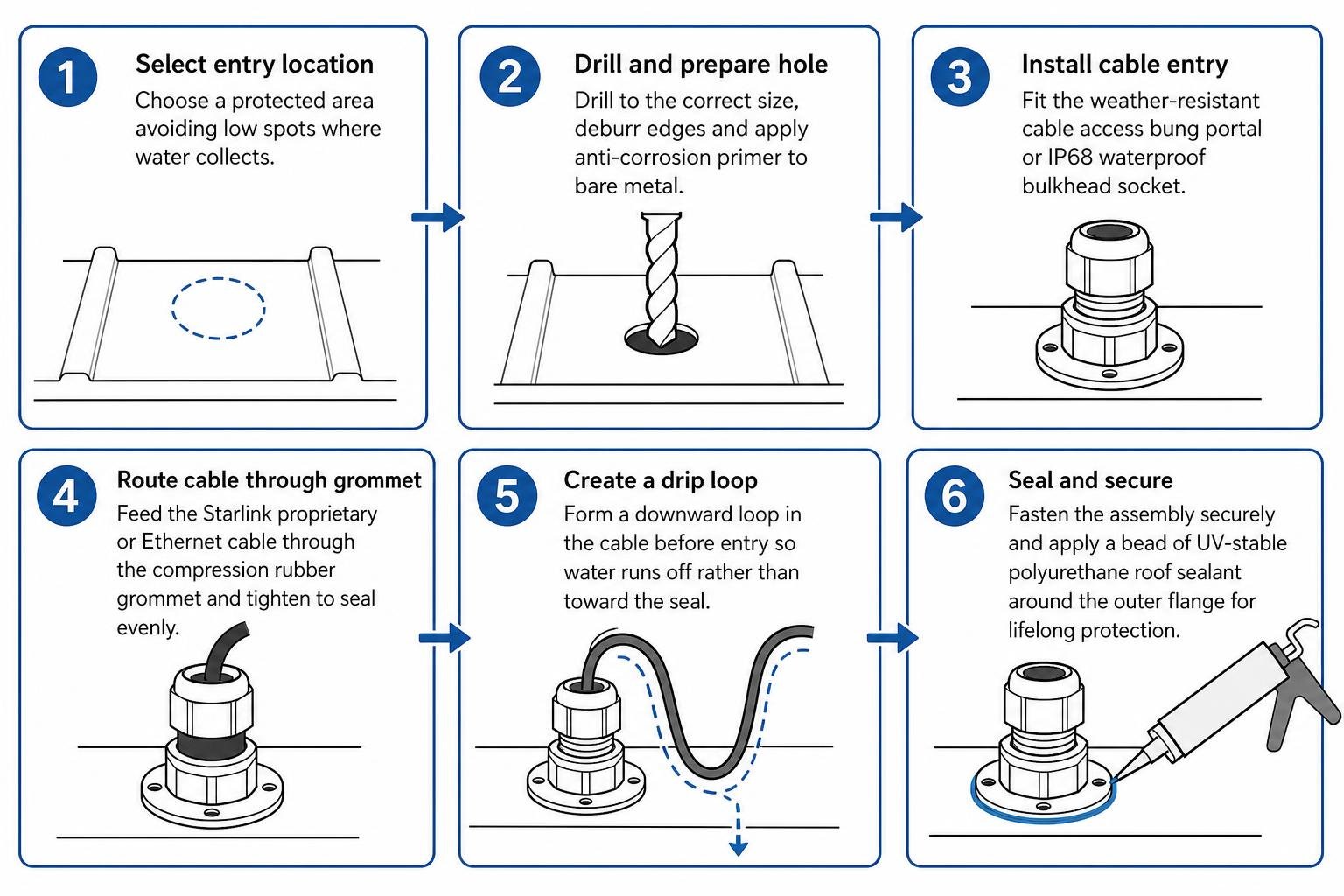
For a durable weatherproof seal, follow these steps:
- Choose a protected entry point on the roof or body panel, away from low spots where water can collect.
- Drill a clean hole sized for the cable portal, then deburr the edges and protect exposed metal with an anti-corrosion primer.
- Fit a SpaceTek weather-resistant cable access portal or IP68 waterproof bulkhead socket.
- Route the Starlink or Ethernet cable through the compression grommet and make sure the sealing ring sits evenly against the outer jacket.
- Form a downward drip loop before the entry gland so surface water runs away from the seal.
- Secure the assembly and apply UV-stable polyurethane roof sealant around the outer flange.
Why Does Direct DC-to-DC Power Help Off-Grid Setups?
Running satellite hardware from an auxiliary battery through a mains inverter creates an unnecessary double conversion. The inverter changes low-voltage DC to AC, then the Starlink power equipment changes it back to DC, which can add heat and place extra demand on the battery.
Direct DC-to-DC power is a cleaner option for many off-grid and mobile setups. SpaceTek StarPower V2 and V3 power supplies support higher efficiency, lower draw and router-bypass custom setups without relying on an AC inverter. They are designed to help deliver stable input power when vehicle charging and battery loads are changing.
Frequently Asked Questions About Weatherproofing Starlink
Can Starlink Keep Working in Heavy Rain and Storms?
Starlink dishes are designed to operate in normal rain, although very heavy tropical storm cells can temporarily weaken the signal. A secure installation helps reduce avoidable interruptions when the weather rolls in.
- Make sure the dish mount is rigid so wind does not shift its position during squalls.
- Set the dish at an angle that lets rainwater run off rather than pool on the surface.
- Keep red dust off the dish face, as it can turn to mud during a downpour.
How Can You Protect Starlink Cables From Harsh UV?
Australia’s high UV exposure can make unprotected outdoor cables brittle over time. Keeping cable runs covered and properly secured helps them last longer.
- Route exposed cables inside UV-stabilised split conduit or corrugated tubing.
- Use UV-resistant clips or stainless-steel ties instead of indoor zip ties.
- Use SpaceTek IP68 waterproof couplers and bulkhead glands at joins to help protect internal conductors from moisture and dirt.
When Is a Rugged Housing Better Than a Standard Pole Mount?
A standard pole mount can work well for a fixed home installation with a clear, protected position. A fully enclosed rugged housing is a better fit when the dish is exposed to frequent movement or physical hazards.
- You are mounting the dish to a 4WD, camper trailer or caravan that travels on corrugated tracks or under low branches.
- The site is dusty, such as a rural property, work yard or agricultural paddock.
- The installation faces regular wind buffeting, vehicle vibration or sea spray.
How Can You Build a More Weather-Resistant Starlink Setup?
A reliable satellite internet setup is about more than the dish’s factory rating. For Australian weather, the practical focus is on mount rigidity, UV resistance, sealed cable entries and stable power.
Pairing your terminal with folded aluminium Starlink mounts, a suitable vehicle housing, sealed cable portals and direct DC-to-DC power can help keep it online through dust, rain and summer heat. If you need help choosing the right fit for your vehicle or property, Contact Our Specialist Support Team at SpaceTek Australia for practical advice.

Leave a comment
This site is protected by hCaptcha and the hCaptcha Privacy Policy and Terms of Service apply.