
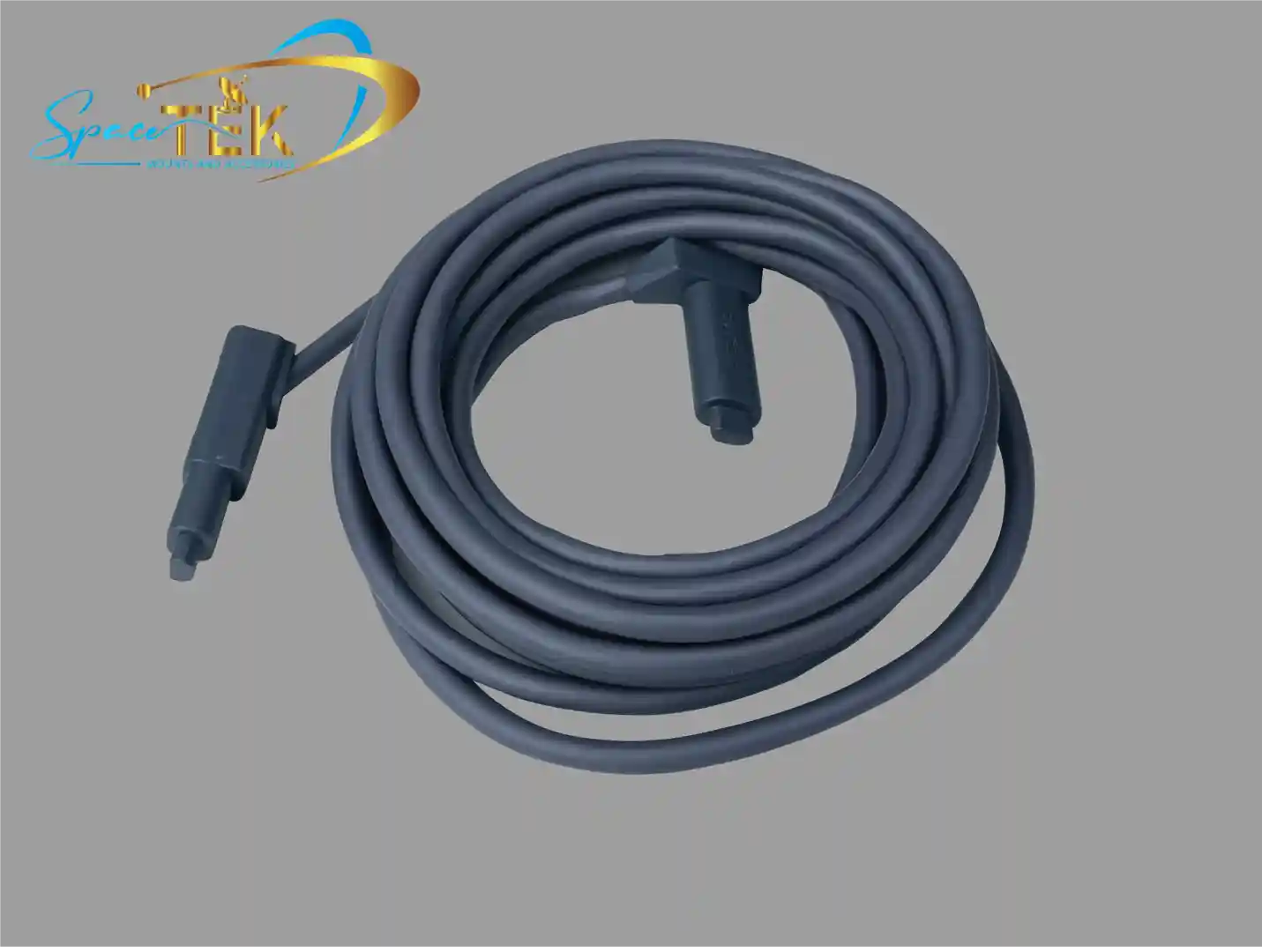
Why Understanding Your Starlink Gen 3 Cable Matters
New Zealand note: For NZ installs, cable choice and routing matter because many Starlink systems run across roofs, sheds, caravans, boats or farm buildings. Use outdoor-rated cable protection where needed and avoid exposed joins in wet or high-UV locations.
What type of cable does Starlink Gen 3 use? It's a shielded Ethernet cable with standard RJ45 connectors, carrying both power and data via Power over Ethernet (PoE).
Quick Answer:
- Cable Type: Shielded outdoor-rated Ethernet cable (Cat5e/Cat6 equivalent)
- Connector Type: Standard RJ45 connectors on both ends
- Wire Gauge: 26 AWG copper wire with 8-core shielded construction
- Data Speed: Supports up to 2000Mbps
- Key Feature: Power over Ethernet (PoE) delivers both power and data through a single cable
This marks a significant shift from Gen 2, which used proprietary connectors that made extensions and replacements complicated.
For remote New Zealands like yourself, this change is a game-changer. You can now use standard networking cables for extensions, troubleshoot connections more easily, and replace damaged cables without special equipment.
The Gen 3 cable's weatherproof design handles New Zealand's harsh conditions—from coastal salt spray to summer heat. But even the toughest cable needs proper installation and protection at connection points.
I'm Aaron Wroblewski, founder of SpaceTek, and I've spent over 25 years working with satellite systems and remote communications, including extensive hands-on experience with the Starlink Gen 3 cable and how to protect it in New Zealand conditions. Through SpaceTek, I've helped hundreds of remote residents achieve reliable satellite connections by combining quality cables with robust, weather-resistant mounting solutions.
For more information on related topics, see our guides:
An Introduction to the Starlink Gen 3 System
The arrival of Starlink Gen 3 in New Zealand has brought with it exciting advancements for connectivity, especially for those of us in regional and remote areas. This latest iteration of Starlink hardware represents a significant upgrade, not just in performance but also in its approach to cabling and connectivity.
The connecting cable plays a crucial role in your Starlink system. It is the lifeline that transmits both power and data between your Starlink dish (often called Dishy) and the router, keeping your internet connection stable and reliable. With the Gen 3 system, this vital link has been thoughtfully redesigned.
This new design is a clear improvement on previous generations, which featured proprietary connectors. The shift to a more universal standard simplifies installation, maintenance, and the overall user experience, which is particularly helpful for the diverse and often challenging installation environments found across New Zealand.
SpaceTek builds on this by offering rust-resistant, high-strength mounting options that work hand in hand with the new cabling approach, helping you position and protect your hardware for the best possible performance.
All About the Cable: What Type of Cable Does Starlink Gen 3 Use?
Q1: What are the specific cable and connector types?
The Starlink Gen 3 system adopts industry standards, using a shielded Ethernet cable terminated with standard RJ45 connectors. This is great news for users, as it means greater flexibility and compatibility. Unlike the proprietary connectors of previous generations, the Gen 3 adoption of RJ45 simplifies everything from extensions to replacements.
This cable is not just for data; it also carries power to the dish through Power over Ethernet (PoE) technology. A single cable handles both the electrical supply and the high-speed internet connection, streamlining installation and reducing clutter. This simplified design makes for a much more user-friendly experience, whether you are setting up at home, on a rural property, or on the road in your caravan or RV.
The Starlink Gen 3 Router also features two latching Ethernet LAN ports with removable covers, reinforcing the move to standard connections. This allows for direct wired connections to your devices or wider network without extra adapters for basic Ethernet connectivity.
Q2: What are the technical specifications of the Gen 3 cable?
The Starlink Gen 3 cable is built for performance and resilience, both essential for handling the diverse New Zealand climate. The cable typically features a 26 AWG (American Wire Gauge) copper core, though some high-quality third-party options may use 24 AWG for improved performance over longer distances. This copper wiring is part of an 8-core shielded construction, designed to minimise interference and keep your data connection stable at high speeds.
These cables are engineered to support data speeds up to around 2000Mbps, ensuring you can get the most out of your Starlink internet service. Because Starlink dishes are installed outdoors, the cable is outdoor-rated and waterproof, with durable jackets and effective weather sealing at connection points.
High-performance cables, for example, are designed to meet demanding waterproof ratings, highlighting the extreme durability required for exposed installations. This robust construction helps the cable withstand New Zealand's harsh conditions, from intense UV and heat to heavy rain.
Q3: How does the Gen 3 cable compare to older versions?
The most significant difference between the Gen 3 cable and older versions lies in its connectors.
Earlier standard kits used a proprietary connector that was unique to Starlink hardware. Extending or replacing cables meant purchasing specific branded parts, which were not always readily available or cost-effective. Aftermarket cable extensions were difficult to achieve without cutting or splicing.
In contrast, the Gen 3 system uses standard RJ45 connectors. This shift is a major win for flexibility and ease of use, as the system now uses a common, widely available Ethernet cable format.
Beyond the connectors, there are subtle differences in cable thickness and flexibility. While all Starlink cables are designed to be robust, the standardisation of the Gen 3 cable opens up a wider range of aftermarket options, including slimmer or more flexible outdoor-rated cables for easier routing.
If your Gen 3 cable is damaged, you can now source a compatible shielded outdoor-rated Ethernet cable from many electronics suppliers or online retailers. That is a big change from older kits, where users were usually limited to official replacements. For those still using Gen 2 hardware, SpaceTek offers a range of Starlink Gen 2 accessories to help manage those legacy connections and mounts.
Q4: What are the available cable lengths?
The cable included with a standard Starlink Gen 3 kit is often sufficient for many basic installations. However, for sites where the dish needs to be placed further from the router to achieve an unobstructed view of the sky, the move to standard RJ45 connectors opens up more possibilities for custom lengths. Shielded outdoor Ethernet cables are available in various lengths, such as 23m (75 ft), 30m (100 ft), and 45m (150 ft), giving you the flexibility to choose a length that perfectly fits your layout, reducing excess cable and the need for joiners.
It is important to consider signal integrity when planning longer runs. While standard Ethernet can run up to 100 metres in typical networking, Starlink's power and data requirements are more demanding. As a rule of thumb, it is best to keep total cable length (including any extensions) to around 45m (150 ft) or less to minimise voltage drop and performance issues. If you do need to push distances or change cable routes, pairing the right cable with solid mounting and strain relief is essential. You can explore SpaceTek's Starlink installation accessories to help manage and protect these runs.
Q5: Where can I buy the cable that Starlink Gen 3 uses?
When you need a replacement cable for your Starlink Gen 3, you have more options thanks to the move to standard RJ45 connectors. It is crucial to select a high-quality, shielded, outdoor-rated CAT5e or CAT6-equivalent Ethernet cable to ensure full performance and durability.
There are, however, some risks with generic cables. Cheaper products might have poor shielding, which can lead to interference, lower speeds, or dropouts. They might also lack the rugged jackets and weather seals needed for long-term outdoor use in New Zealand conditions.
The best strategy is to prevent damage in the first place. By using secure routing and protection like SpaceTek's Starlink parts and accessories, you can maintain a reliable connection and minimise the need for costly and inconvenient replacements.
Q6: What are common issues when replacing or extending the Gen 3 cable?
Replacing or extending your Starlink Gen 3 cable is much simpler than with earlier hardware, but there are still potential pitfalls if it is not done correctly.

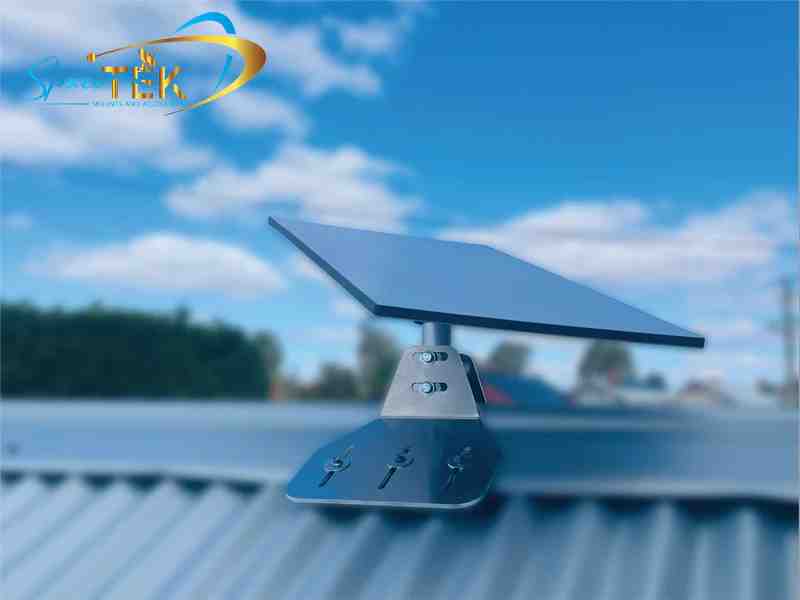
- Physical damage: The cable usually runs outdoors and can be exposed to UV, heat, wind movement and animal damage. Make sure any replacement cable is truly outdoor-rated and routed so it is protected from sharp edges and chewing. SpaceTek's robust Starlink Gen 3 mounts are designed to help route and secure the cable, reducing movement and strain.
- Weatherproofing seals: Even though Gen 3 uses standard RJ45, the connection points, especially at the dish end, need to stay watertight. High-quality outdoor cables and connectors include seals to keep moisture out. If you use any couplers or joiners, ensure they are screened and appropriately weatherproofed or installed inside conduit or sheltered locations.
- Signal loss and voltage drop: Extending cables too far can lead to signal degradation and power loss over distance. Aim to keep the total cable length (including extensions) under about 45m (150 ft) for best performance. Longer runs increase the risk of voltage drop, which can affect dish operation, particularly when extra power is needed in cold or wet weather.
- Cable strain and disconnection: The RJ45 connectors on the Starlink Gen 3 router use a light latch design, which makes them easier to pull out accidentally. Secure the cable with ties and strain relief so there is no direct pull on the connector or router port.
- Lack of shielding: Because the cable carries both power and data (PoE), proper shielding is essential. Unshielded cable can pick up electromagnetic interference from power lines, motors, and other equipment. Always choose shielded Ethernet cable (such as F/UTP or S/FTP) rated for outdoor use when working with your Starlink Gen 3 system.
If you are unsure about cable choice or routing, SpaceTek's team can help you match the right mounting hardware and cable management to your site layout, so your Starlink kit stays protected and performing at its best.
Optimising Your Starlink Setup for New Zealand Conditions
The Gen 3 cable's advantages, particularly the adoption of standard RJ45 connectors and Power over Ethernet, bring a new level of convenience and flexibility to Starlink users across New Zealand. You can troubleshoot more easily, replace damaged cables without cutting, and choose cable lengths that suit your property layout.
However, a secure installation is still critical, especially in New Zealand's diverse and often extreme environments. Protecting the cable connection from the dish to the router is essential for keeping your internet service reliable. That means safeguarding against physical damage, ensuring all connections are weatherproof, and managing cable runs to prevent strain, kinks, and signal loss.
At SpaceTek, we design and manufacture durable, rust-resistant mounts specifically for New Zealand conditions. Our mounts are compatible with Starlink self-install kits and provide solid anchoring plus thoughtful cable management, helping to keep your vital connections protected in wind, rain, coastal salt air, and remote area dust.
Whether you are mounting your Starlink on a regional home, a farm shed, or an RV travelling the coast, our solutions are built for long-term reliability. To explore our range of compatible mounting options, including roof, wall, and portable setups, you can browse all Starlink mounts and dedicated Gen 3 and V4 mounts.
For extra cable protection and tidier installs, take a look at our Starlink parts and accessories and Starlink Gen 2 accessories if you are running mixed hardware on the same site.
Correct installation of your Starlink Gen 3 cable and mounts is one of the simplest ways to avoid dropouts, extend hardware life, and keep your connection performing well in New Zealand conditions. SpaceTek provides secure, rust-resistant, and user-friendly mounts that make it easier to position your dish correctly and protect your cabling from day one.
If you would like custom advice on the best mounting option or cable routing for your property, please get in touch with the SpaceTek team. We are here to help you choose the right gear and get your Starlink setup right the first time.

Leave a comment
This site is protected by hCaptcha and the hCaptcha Privacy Policy and Terms of Service apply.