
Quick summary
If your Starlink setup is more than two years old and performance has declined, the cause is often external to the dish — typically cabling, connection points, power delivery, or (for Gen 2 systems) router failure. This guide outlines the most common symptoms, what to check, and practical fixes you can make without replacing your entire setup.
In this guide, we’ll cover:
- The most common causes of Starlink dropouts after 2+ years
- Gen 2 router failure symptoms (and the cost-effective alternative)
- Outdoor cable degradation and what it looks like
- Connection instability caused by oxidation/corrosion
- Power delivery issues that trigger dropouts
- A practical inspection checklist
- What we recommend (no overhaul required)
If your Starlink connection isn’t as stable as it used to be - slower speeds, random dropouts, or frequent interruptions - you’re not imagining it.
Here’s the key point:
In many cases, it’s not the Starlink dish.
For setups that are 2+ years old, we most commonly see performance issues caused by cables, connection points, power delivery, or the Gen 2 router gradually degrading over time — even when everything looks fine.
This is especially common for installs exposed to:
- Full sun (UV)
- Rain, salt air, and condensation
- Wind movement / vibration
- Hot roof spaces and temperature swings
Quick answer: what causes Starlink dropouts after a few years?
In most cases, intermittent performance issues come down to one of the following:
- The Starlink Gen 2 router begins to fail (common after 2+ years)
- Outdoor cables slowly degrade
- Connections loosen or oxidise (corrosion)
- Power delivery becomes inconsistent due to minor voltage drops
The tricky part is that these issues often build gradually - so there’s rarely a single “failure moment”.
1. Starlink Gen 2 router failure (common after 2+ years)
A common issue we hear from customers is the failure (or gradual degradation) of the Starlink Gen 2 router.
The Gen 2 router doesn’t just provide Wi-Fi - it also provides power and data connectivity to the Gen 2 dish. When it begins to fail, it can create symptoms that look like a dish or cable problem.
Common signs include:
- Dropouts multiple times per day
- The Wi-Fi network still appears, but there is “No Internet”
- Random disconnects that recover after rebooting
- Issues that worsen over time (often heat-related)
- Speeds and stability declining gradually with no visible cable damage
If the Gen 2 router fails completely, Starlink’s standard upgrade path often means replacing the entire Gen 2 setup with Gen 3 - which can be costly.
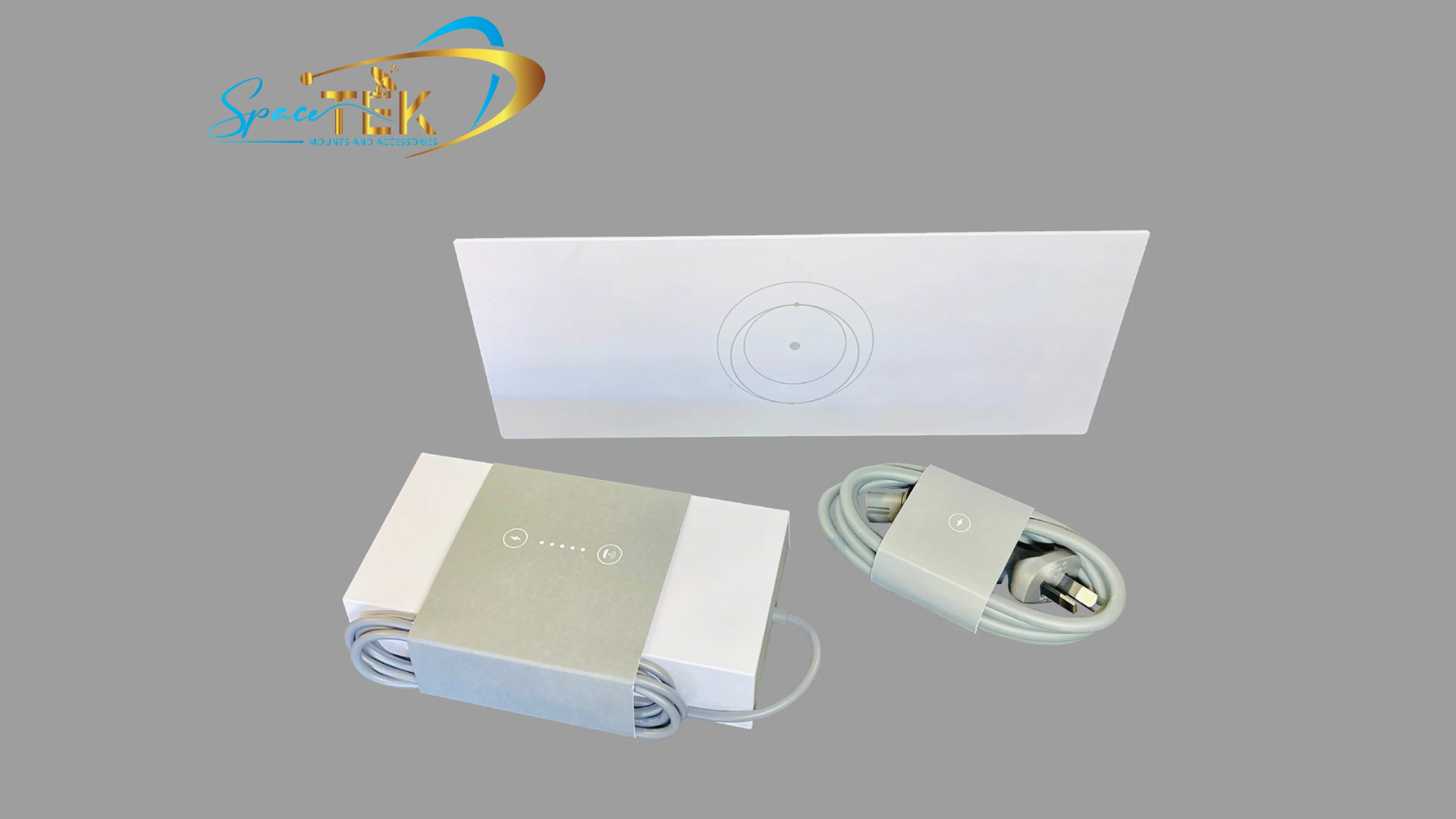
A more cost-effective option is to bypass the failed Gen 2 router entirely using Spacetek’s Starpower V4 Gen 2 Router Replacement Bundle, allowing you to retain your Gen 2 dish and restore stability.
View Starpower V4 Gen 2 Router Replacement Bundle
Unsure if this is your issue? Contact our team
2. Outdoor cables degrade over time (even if the outside looks fine)
Starlink cabling is often exposed to harsh conditions for years at a time. UV, moisture, heat and movement can all contribute to gradual degradation, including shielding breakdown and intermittent internal faults.
This can lead to:
- Intermittent dropouts
- Signal loss
- Performance issues that worsen in poor weather
Common sign: performance is mostly acceptable, but becomes unstable during rain, wind, or temperature shifts.
What to check
- Cracked, brittle, flattened or damaged cable jacket
- Cable run exposed to direct sun for long periods
- Tight bends, pinch points, or sharp edges along the run
- Movement or strain near termination points
Recommended fix
For many installations, a simple cable refresh restores stability - especially if your setup is 2+ years old and exposed to the elements.
View Spacetek outdoor-rated Starlink cables
Unsure what your setup requires? Contact our team
3. Connection points loosen or oxidise
Connection points are small — but they matter. Even minor moisture ingress, vibration, or oxidation can introduce instability that shows up as random dropouts.
Over time, tiny amounts of:
- Movement / vibration
- Dust + moisture
- Oxidisation / corrosion
…can create performance issues such as:
- Random dropouts
- Brief disconnects
- Resets that temporarily help, then the issue returns
Common sign: rebooting improves performance temporarily, but instability comes back.
What to check
- Any joiner exposed outdoors (especially unsealed)
- Loose RJ45 connections or poor strain relief
- Joiners positioned in drip paths or moisture-prone areas
- Visible signs of corrosion or oxidisation
Recommended fix
Use proper outdoor-rated joiners, weatherproof sealing, and strain relief to ensure connection points remain stable long-term.
Shop weatherproof Starlink accessories
Unsure what your setup requires? Contact our team
4. Power delivery becomes inconsistent (Starlink is sensitive)
This one surprises many people: Starlink is highly sensitive to stable power delivery.
Even small voltage drops caused by ageing connectors, long cable runs, or poor-quality adapters can create dropouts - even if the system still powers on.
You might notice:
- Random dropouts
- Instability under load
- More issues in heat
- Reboots or brief disconnects
Common sign: stability worsens in hot weather, or after the system has been running for some time.
What to check
- Power cable or connection points showing wear
- Long runs without stable power considerations
- Low quality connectors/adapters in the chain
- Any DIY joins or unsealed connections
Recommended fix
Ensure power delivery is clean and stable, especially for long cable runs and harsh environments.
Why it feels like “Starlink is getting worse” (even when it’s not)
These faults usually build gradually, so you end up with:
- Speeds varying wildly day-to-day
- Dropouts only during bad weather
- Random instability with no obvious trigger
It looks like a Starlink issue — but often it’s the supporting components around it.
Checklist: should you inspect your setup?
If any of the below apply, it’s worth checking your cabling and connections:
- Your install is 2+ years old
- Your cabling is outdoors / exposed to weather
- Dropouts increase during rain/wind/heat
- Speeds are inconsistent with no clear reason
- Setup hasn’t been touched since installation
- Reboot temporarily “fixes it”
Shop Starlink cabling and connectivity essentials
What we recommend (no overhaul required)
Good news: you usually don’t need to replace everything.
In many cases, refreshing one or more of the following resolves the issue:
- Cable run
- Connection points
- Weatherproof sealing
- Power stability
- (for Gen 2 systems) router replacement / bypass
When we design solutions for long-term Starlink installs, we focus on:
- Outdoor-rated durability
- Proper shielding
- Strain relief
- Secure terminations that remain stable long-term
These parts do the quiet, unglamorous work — but they often determine whether a setup remains reliable year after year.
Shop Starlink connectivity and cable solutions
Reach out to Spacetek Contact our team
FAQ
Can Starlink cables degrade in the sun?
Yes. UV exposure and temperature cycling can degrade materials and shielding over time, which can cause intermittent dropouts.
How often should I replace Starlink cabling?
There’s no set rule — but for outdoor installs, 2–4 years is where we most commonly see cable-related stability issues start showing up.
Why does Starlink drop out during rain or bad weather?
Bad weather exposes marginal connections — moisture ingress, corrosion, loose joiners, or degraded shielding becomes far more noticeable.
Do I need to replace my dish?
Usually no. If the dish still works but performance is inconsistent, the cause is often cabling, connectors or power delivery, not the dish.

Leave a comment
This site is protected by hCaptcha and the hCaptcha Privacy Policy and Terms of Service apply.